Guides › Security and compliance
GDPR and former employees
Anonymise employees who have left. The personal data is deleted, but the work remains.
What the module does
When an employee leaves, their personal data must be deleted once it is no longer needed. But the news, files and tasks the person created shouldn’t disappear. Anonymisation solves both.
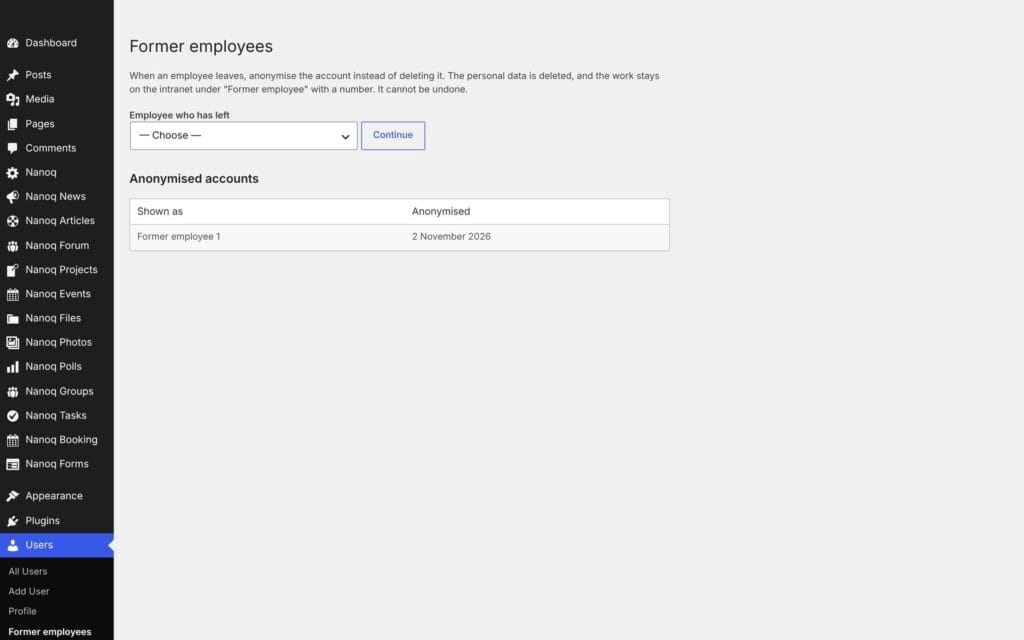
What is deleted
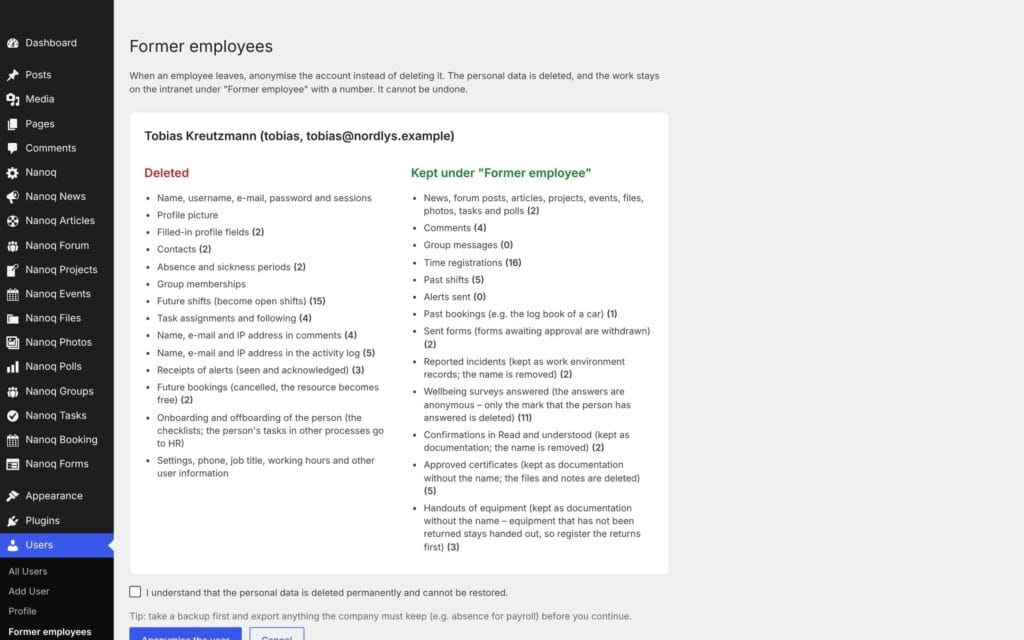
- Name, username, email and password.
- All profile information: phone, job title, profile fields, profile picture, settings, working hours.
- Private messages in both directions and their attachments.
- Absence and sickness, “can’t work” days and shift requests.
- Membership of groups, projects and task lists, contacts and requests.
- Name, email and IP address in comments and the activity log.
Upcoming shifts become open shifts.
What is kept – without a name
News, forum posts, articles, projects, events, files, photos, tasks, polls, comments, group messages, time entries and past shifts are kept. They are then shown under Former employee 1, Former employee 2 and so on.
How to anonymise
- Go to Users → Former employees in WordPress – or choose Anonymise next to the user in the user list. Several users can be chosen at once.
- The confirmation page shows how much is deleted and kept for each type of data.
- Tick the box and confirm.
The account can then no longer log in – not even if someone later gives it a password. It is hidden in the user directory, and the user list shows Anonymised.
Anonymisation can’t be undone. Download what you need to keep (e.g. hours for payroll) before you anonymise.
Who can
Only administrators. You can’t anonymise yourself or another administrator – give the person a different role first.
Good to know
- Text that others have written about the person (e.g. the name in a news post or a message) is not changed.
- For large numbers, WP-CLI can be used:
wp nanoq anonymize <user-ID>.