Collaboration
See who belongs where – and who to go to
An org chart that draws itself from your departments and their managers. See who reports to whom and how the departments fit together, and find the right person in an instant – on the phone too.
What the module does
A chart that maintains itself – you only correct the exceptions.
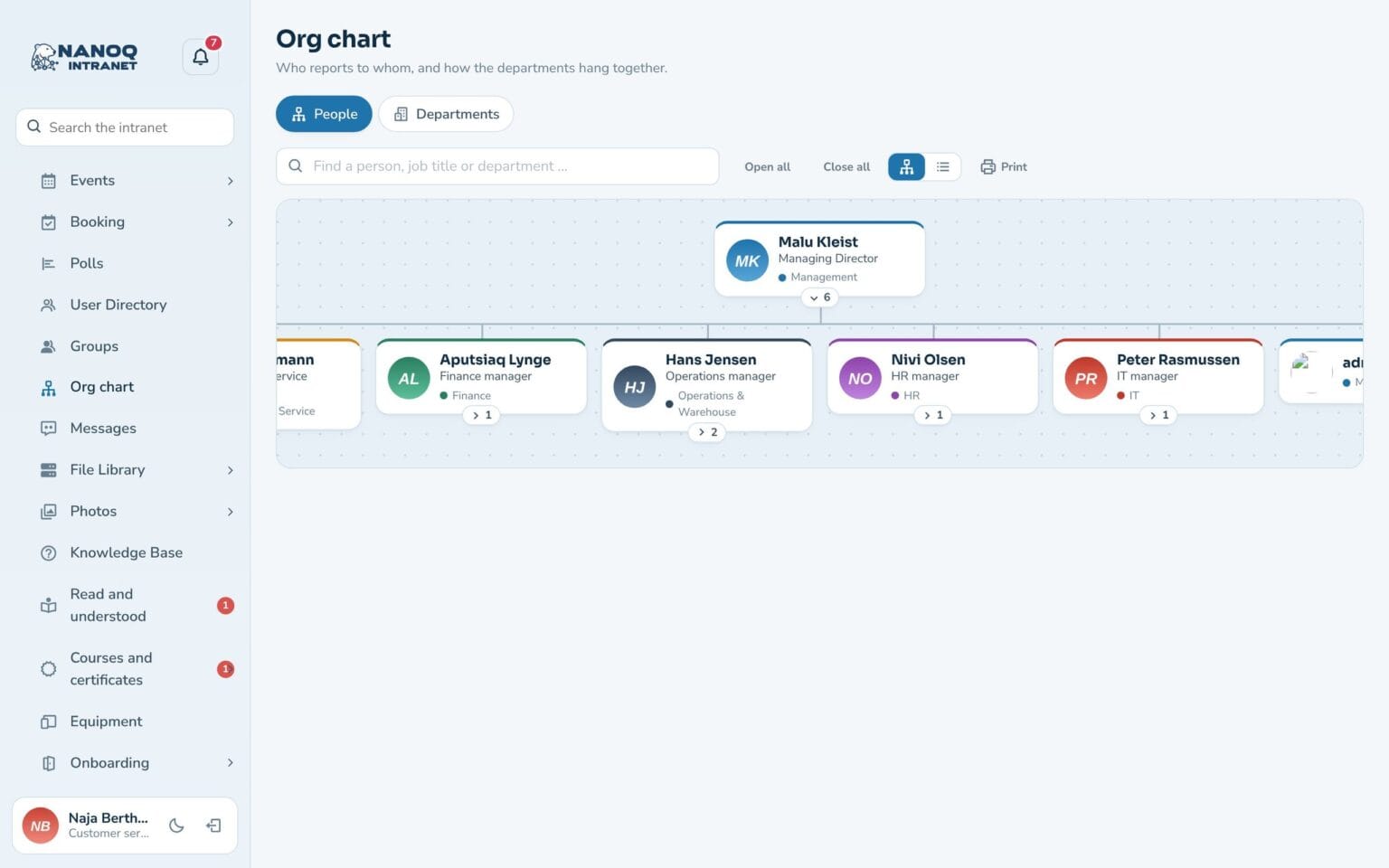
People and departments
Two views: who reports to whom, and how the departments fit together. Expand and collapse the branches.
Draws itself
The line manager is found automatically from the department managers and the department above. You only correct the exceptions.
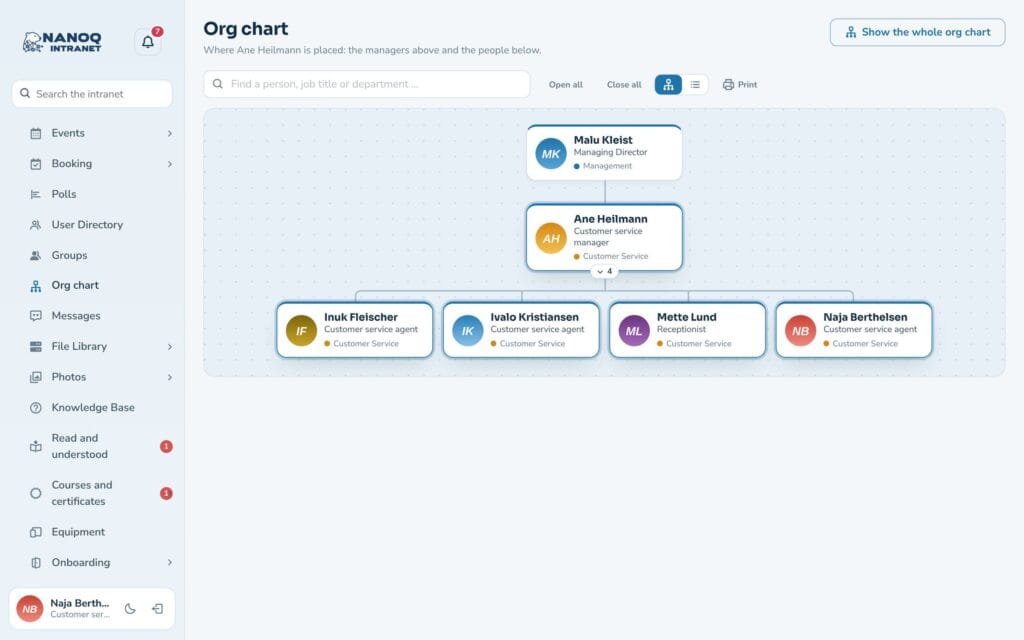
Focus on one person
Click a person and see the managers above and the employees below – directly from the profile too.
Search and find
Search by name, job title or department, and see straight away where the person sits.
On the phone and on paper
On the phone the chart becomes a clear list. Print it, or download it as an Excel file.
My team
The dashboard widget shows your manager, the colleagues with the same manager and those who report to you.
Edit it where you are
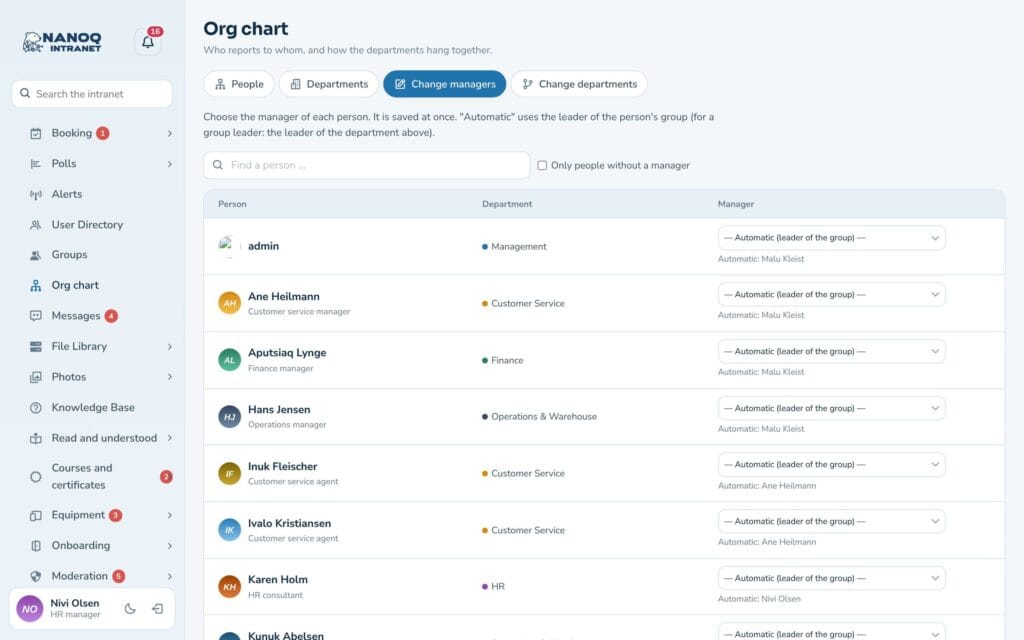
Under “Edit line managers” you choose a different manager for an individual, and under “Edit departments” you place one department under another. Administrators, HR and the roles you choose can do this. Nanoq rejects changes that would make two people each other’s boss. A person can also have an extra manager with a dotted line – e.g. a professional lead in another department.
Connected to everything else
The profile shows the line manager and direct reports with a link to the chart. Forms use the line manager for approvals. And when an employee leaves, their direct reports automatically move up to the next manager.
Good to know: The module is off until you switch it on. The chart can only be seen by employees who are logged in – also when it is placed on a page with the shortcode [nanoq_orgchart]. People without a department appear under “Not placed”, so you can see who is missing.
See also
People
Member directory, profiles, profile fields and contacts – find the right colleague.
Groups and access
Departments with managers and members that control who sees what.
Ready to try Nanoq?
Log in to the demo as a managing director, manager or employee and see how it all fits together.
Demo login: username malu, ane, naja, hans, nivi or kunuk (Greenlandic) – password Nordlys2026