Security and compliance
When an employee leaves
Delete the personal data and keep the work. With a few clicks a former employee’s account is anonymised, while news, files, tasks and time records stay on the intranet under “Former employee”.
What the module does
Anonymise employees who have left – personal data is deleted, the work stays.
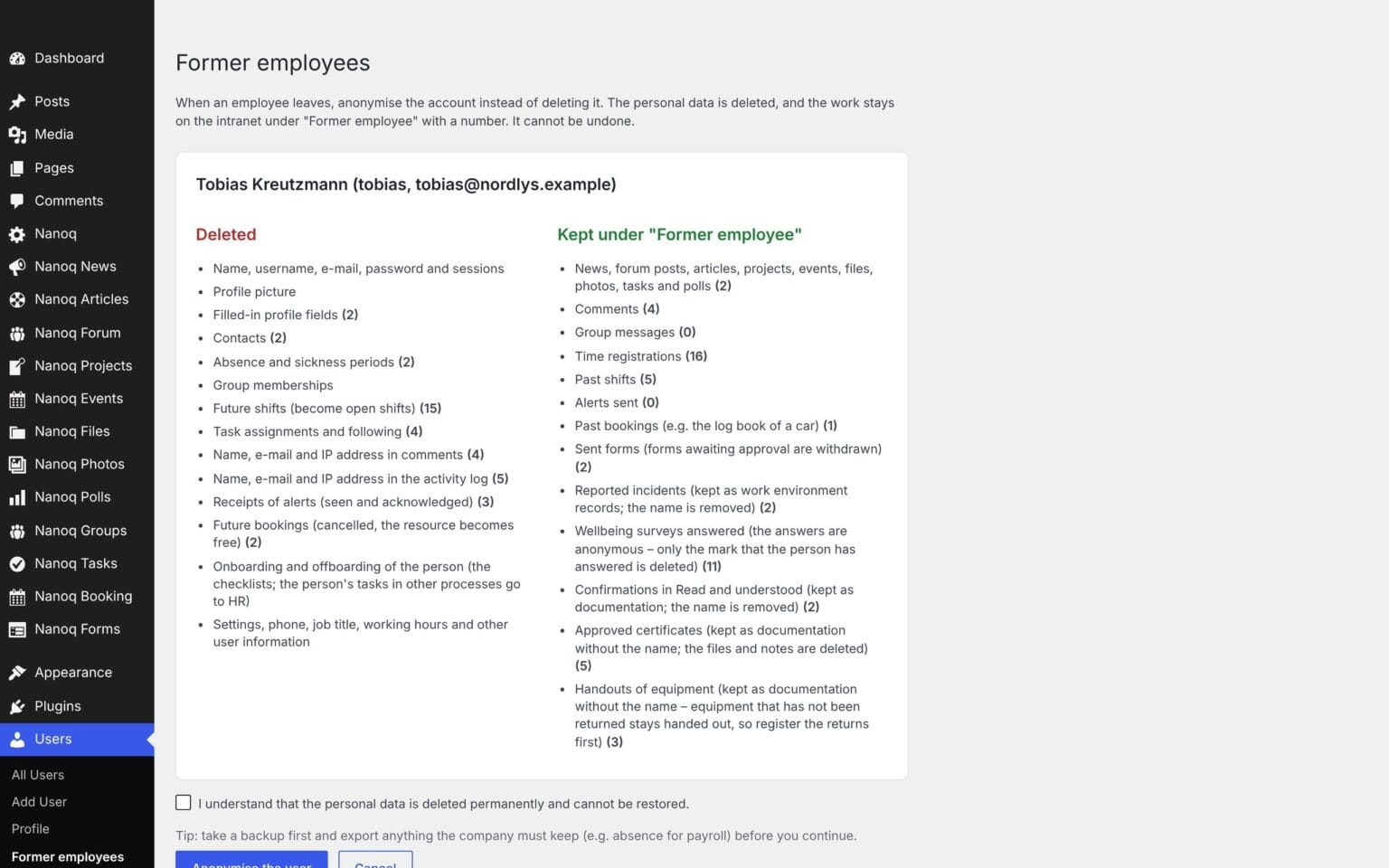
An overview before you click
See exactly what will be deleted and what will be kept – with counts.
Personal data is deleted
Name, email, profile, picture, private messages, absence and sickness.
The work stays
News, files, tasks, comments and hours under “Former employee”.
Traces elsewhere, too
Name and IP address are removed from comments and the activity log.
Shifts are released
Upcoming shifts become open shifts.
Can never log in
The account is locked for good – even if someone later gives it a password.
Former employees in one place
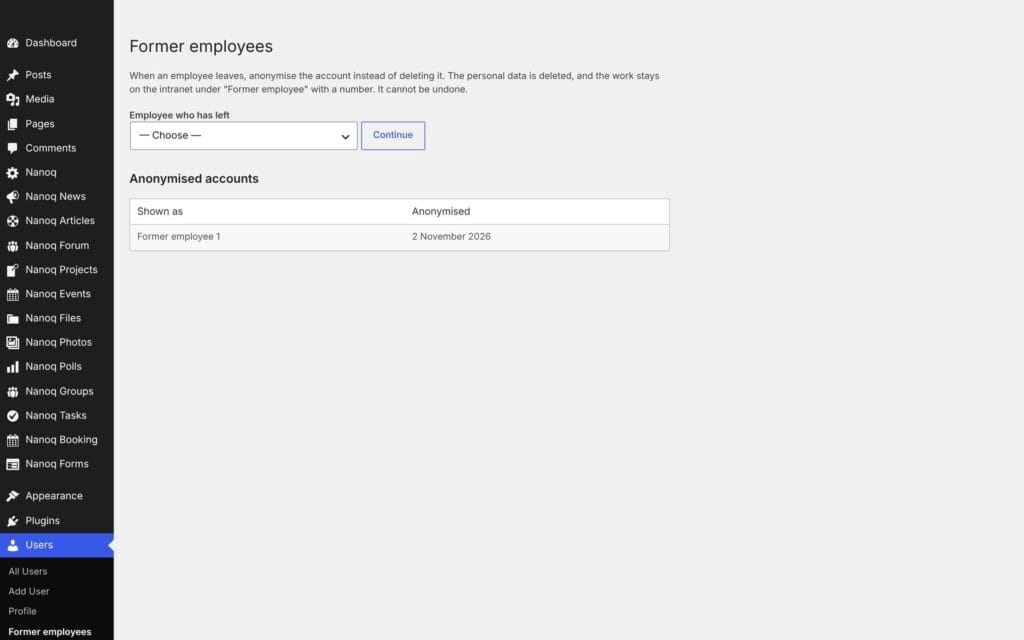
The page shows all anonymised accounts and when they were anonymised. Several employees can be anonymised at once from the user list in WordPress.
Good to know: Anonymisation cannot be undone. Take a backup and export what the company needs to keep – e.g. absence for payroll.
See also
Whistleblower scheme
Anonymous reports with a case number and key – only the appointed case handlers can see them.
People
Member directory, profiles, profile fields and contacts – find the right colleague.
Ready to try Nanoq?
Log in to the demo as a managing director, manager or employee and see how it all fits together.
Demo login: username malu, ane, naja, hans, nivi or kunuk (Greenlandic) – password Nordlys2026