Time and HR
Certificates under control – before they expire
First aid, forklift licence, firefighting and working at height: Nanoq keeps track of who has what, when it expires and who is missing it. Employees sign up for courses in the app.
What the module does
From the employee’s own registration to HR’s matrix for the whole workplace – with reminders before anything expires.
Certificate types
Name, validity in months and who needs it: everyone, selected groups, selected roles or nobody (voluntary). Proof can be required.
Register and approve
Employees register their own certificate with one or more PDFs or photos, and HR – or the department's manager, if you like – approves or rejects it. HR can also register on behalf of others.
Reminders in good time
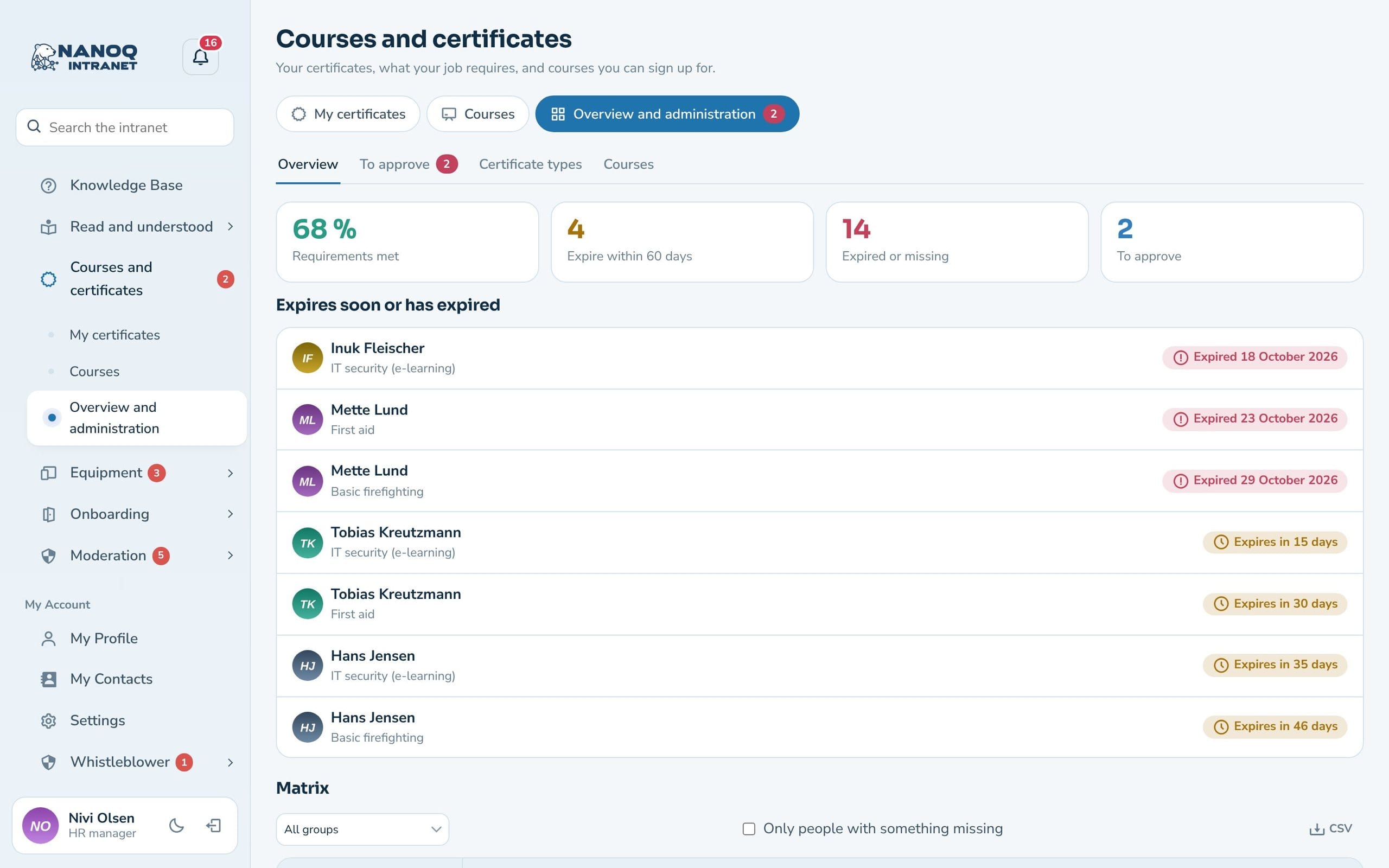
60 and 30 days before expiry, on the day and 14 days after – to the employee and the manager. HR gets a weekly overview.
Matrix and overview
People × required certificates with valid, expiring, expired and missing. Filter by group and download as CSV.
Courses with sign-up
Date, location and places. If the course is full, you go on the waiting list, and the first in line moves up when a place becomes free. Courses also appear in the calendar under Events. Give the course a price and follow the training budget.
Attendance grants the certificate
When HR records "Attended", the participant gets the certificate straight away – with the correct expiry date.
My certificates
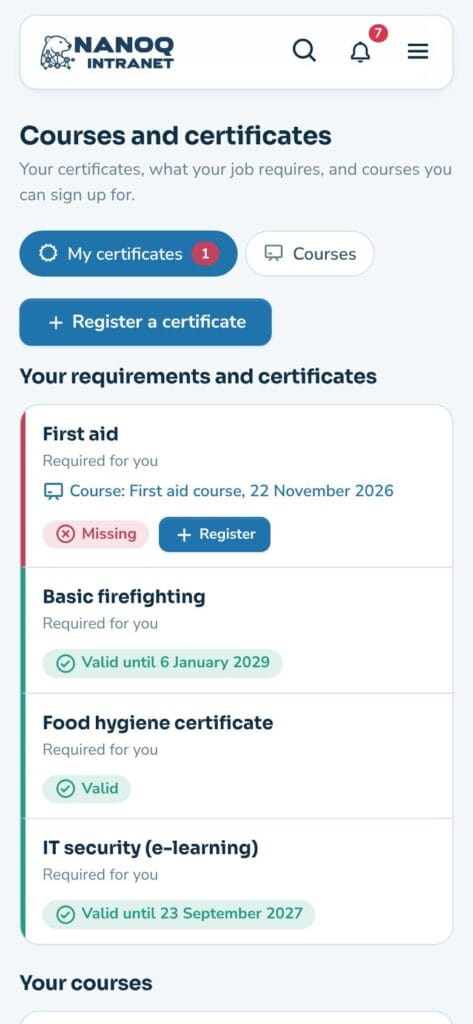
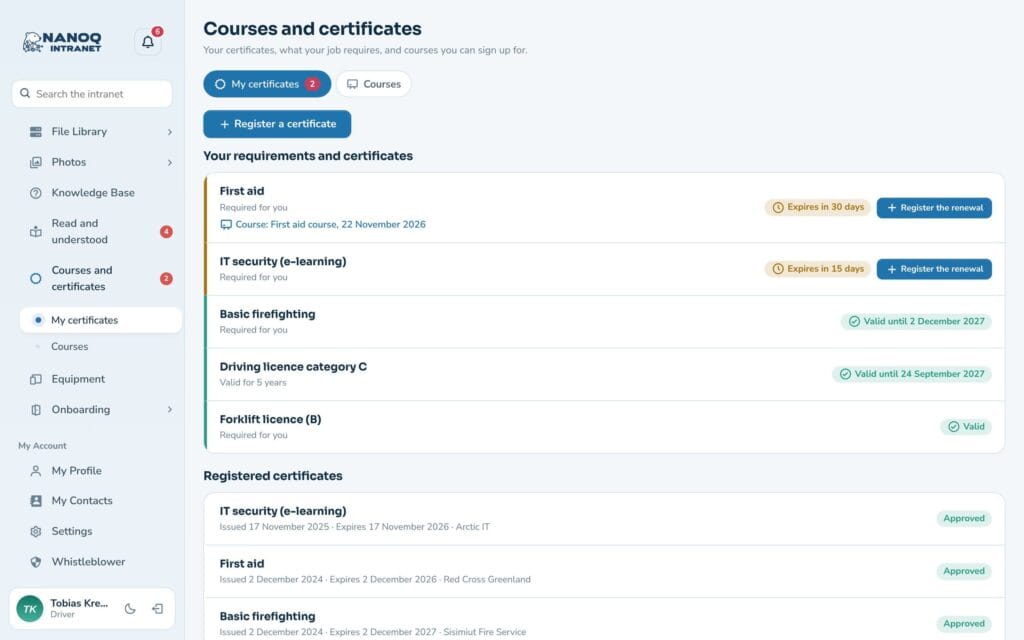
Employees see their requirements with status – valid, expiring soon, expired, awaiting approval or missing – and the “Register” button. If a certificate is missing, upcoming courses that grant it are suggested. The proof (PDF or photo) is stored securely and can only be seen by the person, HR and the manager.
The whole workplace on one page
Under “Overview and administration” HR sees how many requirements are met, what expires within 60 days and what is missing – and the matrix for everyone. Department managers see their own team under “My team”. Certificates for approval have their own tab, and the Budget tab shows the year’s budget: spent, booked and remaining.
Good to know: The best approved certificate counts, so a renewal or a course automatically replaces the old one. Proofs are stored in a protected folder, and photos lose camera data and location. The module is off until you switch it on under Nanoq → Courses and certificates.
See also
Onboarding and offboarding
New employees see which certificates they need.
Incident reporting
Safety in practice: accidents, near misses and actions.
Ready to try Nanoq?
Log in to the demo as a managing director, manager or employee and see how it all fits together.
Demo login: username malu, ane, naja, hans, nivi or kunuk (Greenlandic) – password Nordlys2026