Time and HR
Forms that find their own way
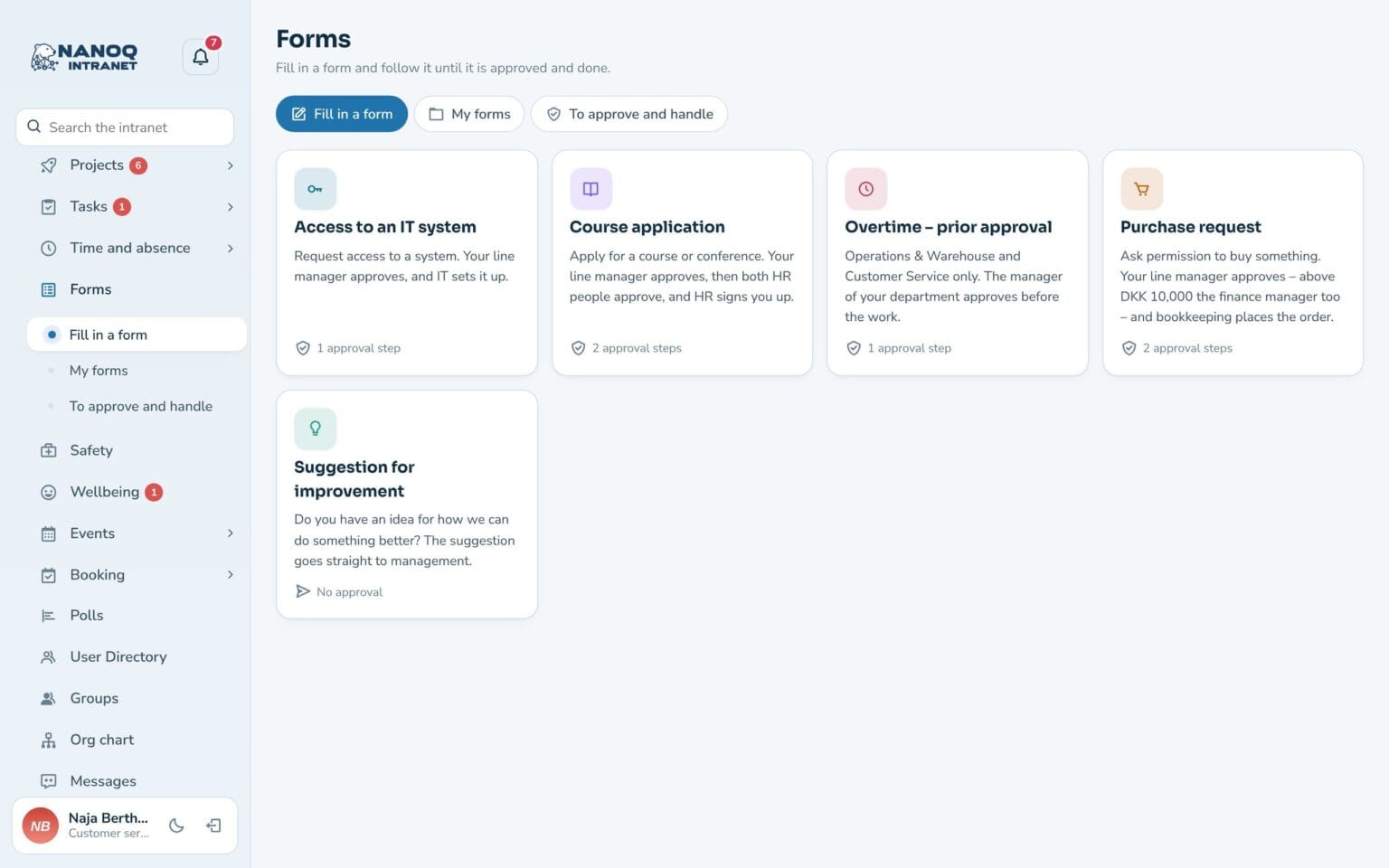
Course applications, purchases and system access are filled in on the intranet and go automatically to the line manager, HR or whoever you choose – step by step, until the task is done. No paper forms and no emails that go missing.
What the module does
From submitted to done – and everyone can see where the case is.
Build your own forms
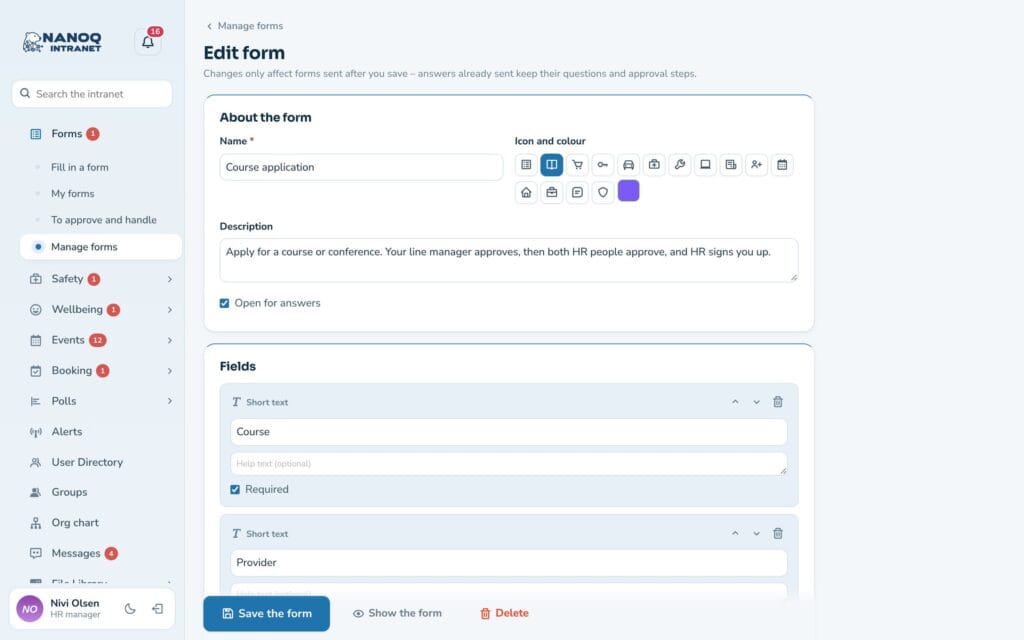
Text, numbers, dates, dropdowns, yes/no, email and files. Start from a template or from scratch. Fields can be shown on a condition, and a half-finished form can be saved as a draft.
Step-by-step approval
Up to six steps: line manager, HR, selected people or the managers of a department – one after another or several at once. A step can apply on conditions with and/or – e.g. only above DKK 10,000 and not a laptop – or require everyone to approve.
"What happens now"
Before sending, the form shows who has to approve – by name. Nobody has to guess where the case will end up.
Approve, reject, done
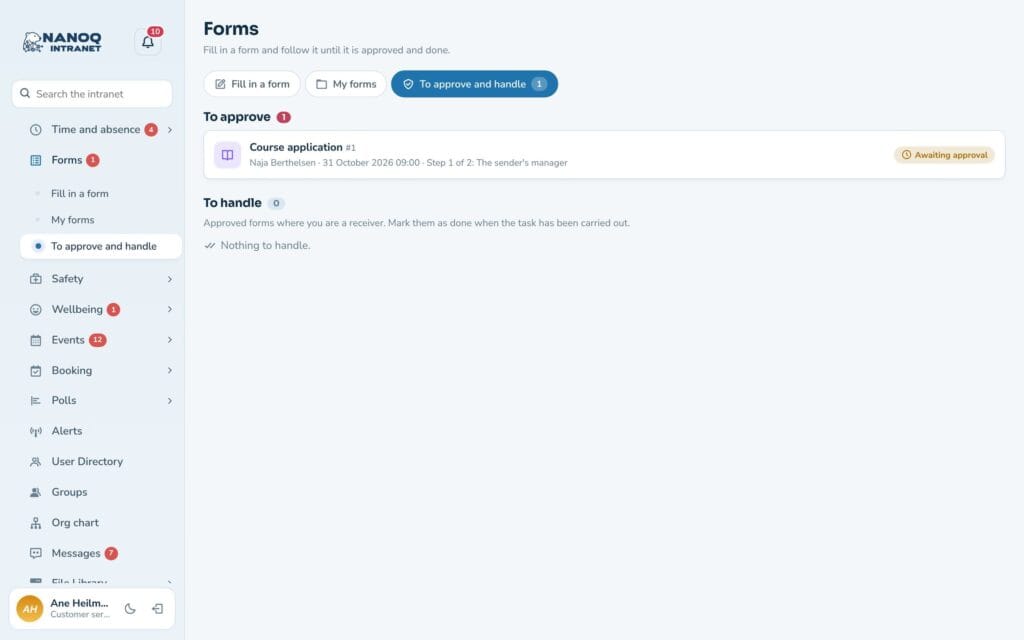
The approver decides with one click. A rejection requires a reason, and the recipient marks the task as done. A rejected form can be edited and resubmitted.
My forms
Follow each case from sent to done, see the history, and write comments along the way. Made a mistake? Correct the answer while it is waiting.
Only those who need it
Forms can be reserved for specific departments. Attached files are protected and can only be seen by those allowed to see the response.
Three templates to start with
Course application (manager and HR), purchase request and access to an IT system are ready to use. Edit the fields, choose approval steps and recipients, and save. Changes only apply to new responses – what has already been sent keeps its questions and steps.
Connected to everything else
The line manager comes from the org chart. Approvers and senders are notified in the bell, and everything is in the activity log. Responses can be searched and downloaded as an Excel file, and the dashboard widget shows what is waiting for you. Forms that wait too long send the approver a reminder.
Good to know: The module is off until you switch it on. Nobody can approve their own form – it then goes to the next in line, and if there is no approver it ends up with an administrator. A rejected form can be edited and resubmitted.
See also
Org chart
See who reports to whom – and who approves your forms.
Absence and leave
Holidays, sick leave and courses with approval, leave balance and absence calendar.
Ready to try Nanoq?
Log in to the demo as a managing director, manager or employee and see how it all fits together.
Demo login: username malu, ane, naja, hans, nivi or kunuk (Greenlandic) – password Nordlys2026