Security and compliance
Every near miss is an accident that didn't happen
Employees report occupational accidents, near misses and hazards in a minute – from the phone too. The case gets a case handler, actions with deadlines and a history you can document. And the statistics show whether you are getting better.
What the module does
From report to closed case – and lessons that prevent the next one.
Report in a minute
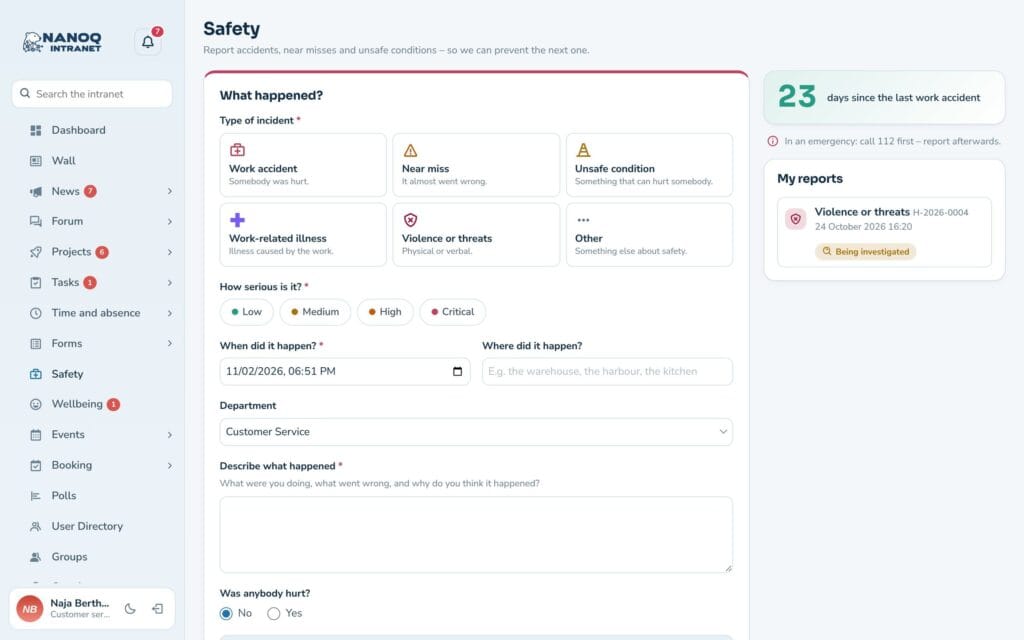
Choose type and severity, write what happened and attach photos. Location data is removed from the photos automatically.
Anonymously, too
Employees can choose to report without their name – so the small incidents come to light as well.
Actions with deadlines
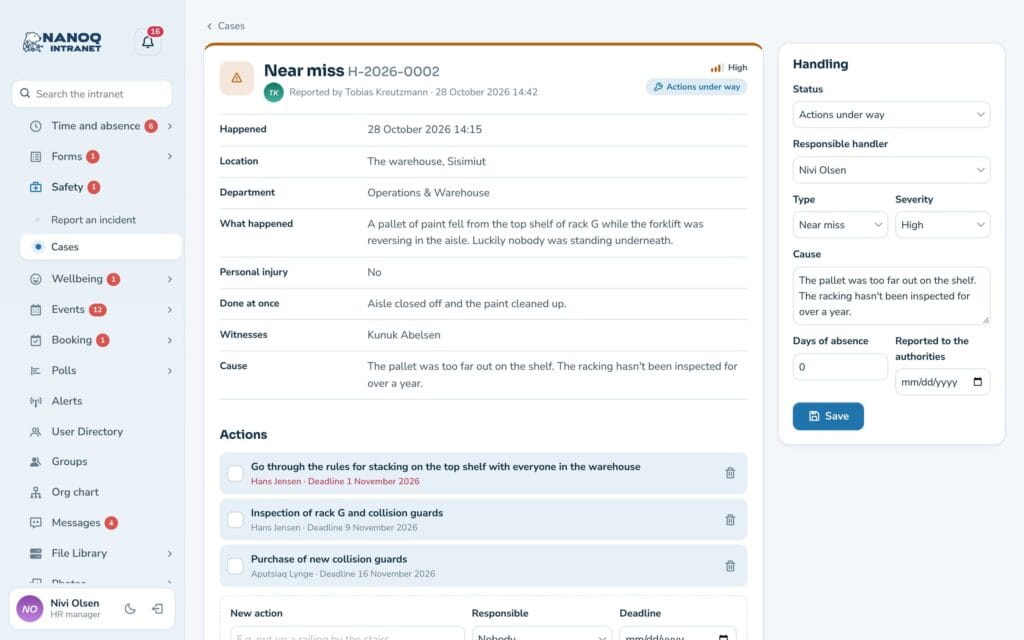
Give each action an owner and a deadline. Overdue deadlines are shown in red – and the owner gets a reminder.
Statistics
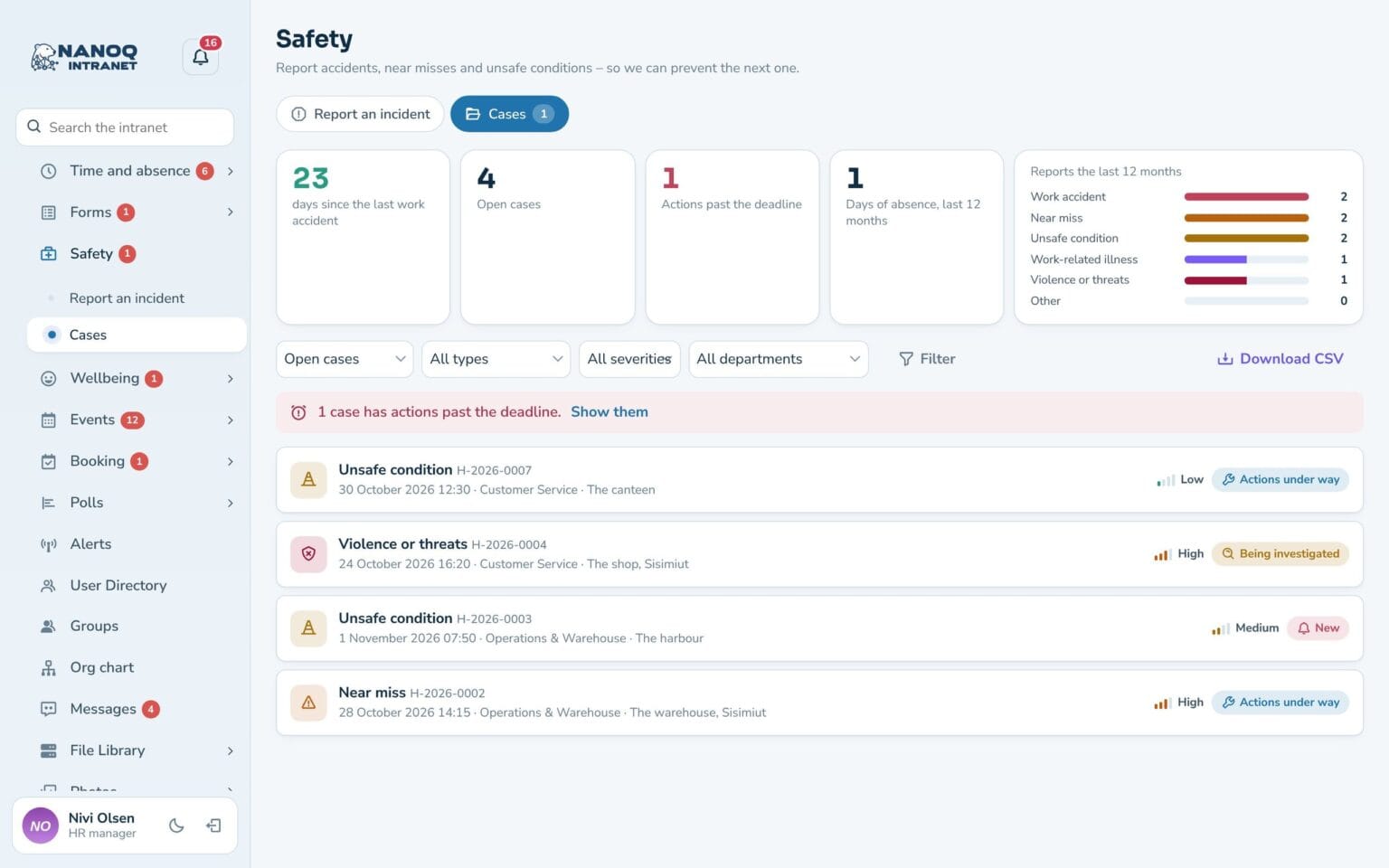
Days since the last occupational accident, open cases, overdue actions, days of absence and reports by type.
Notes and messages
Internal notes for case handlers and managers – and messages to the person who reported.
Managers see their department
The department manager follows the department's cases, writes notes and adds actions.
Case handling you can document
Each case goes from New via Under investigation and Actions in progress to Closed. The case handler fills in the cause, days of absence and the date of notification to the authorities – and Nanoq reminds you that occupational accidents with absence must be reported. Everything is in the history, and cases can be downloaded as CSV.
Call 112 first – report afterwards
The “Report an incident” page shows days since the last occupational accident and reminds you to call 112 in an emergency. The reporter follows their own case and sees actions and messages – never the internal notes. The Safety widget and the shortcut in the welcome banner make it easy to get started.
Good to know: The module is off until you switch it on. Reports are deliberately left out of search, and notifications only show the case number – never the description. If an employee is anonymised (GDPR), the report is kept as health and safety documentation, but without the name. Serious matters, e.g. concerning management, belong in the whistleblower scheme.
See also
Whistleblower scheme
Anonymous reports with a case number and key – only the appointed case handlers can see them.
Emergency alerts
Important messages at the top of the screen and as push – with an overview of who has seen and acknowledged them.
Ready to try Nanoq?
Log in to the demo as a managing director, manager or employee and see how it all fits together.
Demo login: username malu, ane, naja, hans, nivi or kunuk (Greenlandic) – password Nordlys2026