Communication
Talk together – without leaving the intranet
Private conversations with colleagues and shared conversations in every department. Attach files and photos directly from your device or from the file library – and send messages that disappear by themselves when you want.
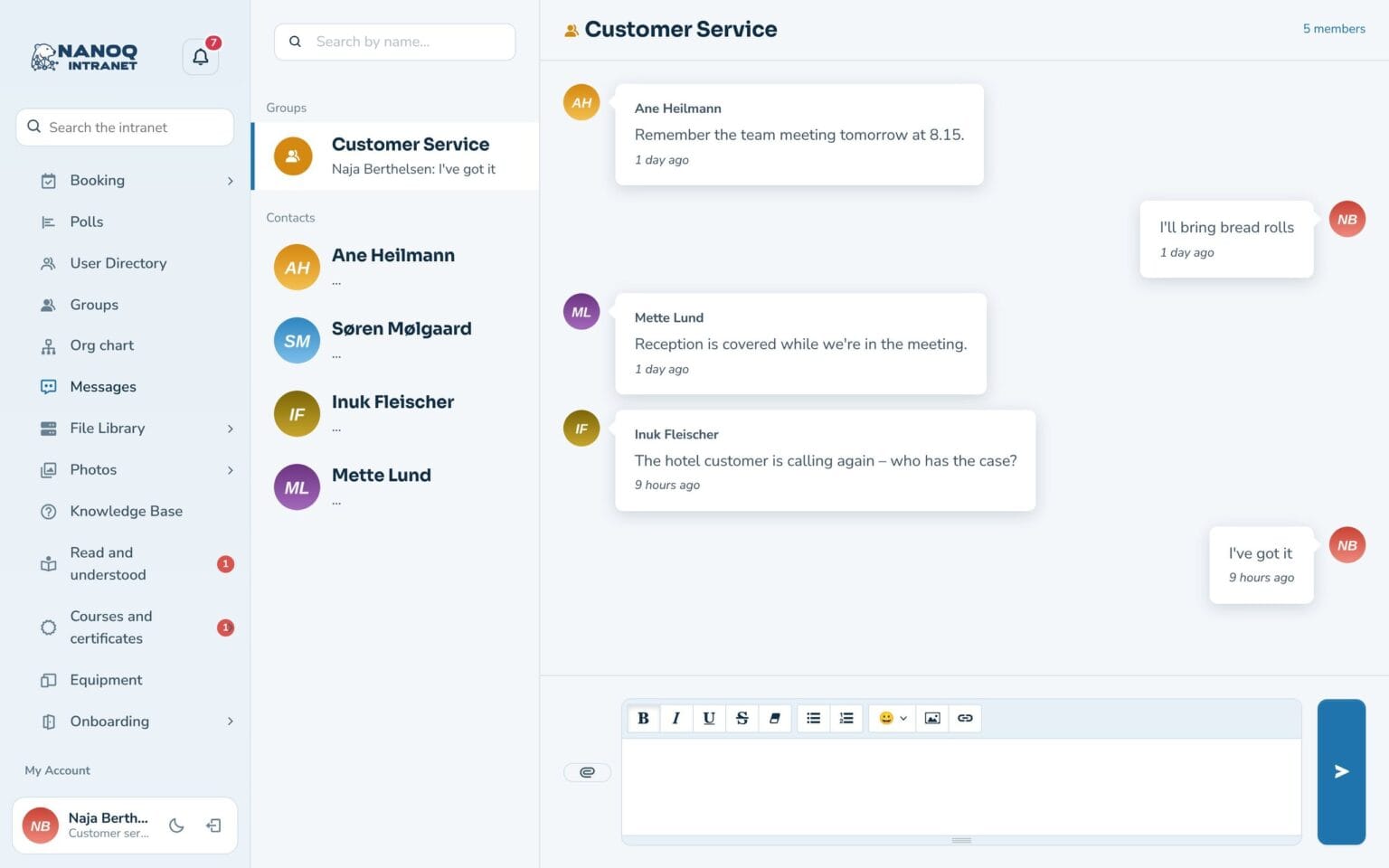
What the module does
Private and group conversations with attached files and pictures.
Private messages
Conversations with your contacts.
Group messages
Every department has its own conversation.
Attachments
Up to 10 files per message – from the device, the file library or photos.
Drag and drop
Drag files straight into the conversation.
Read receipts
See when the message has been read.
Email notification
Get an email when a new message arrives.
Messages that disappear
Delete new messages in a conversation automatically after 1 hour, 1 day, 1 week or 1 month – or just the next message.
View once
Send a code or a message that can only be seen once or disappears after it has been seen.
Pictures from your phone
Choose a picture on your computer or phone, or put it straight into the text.
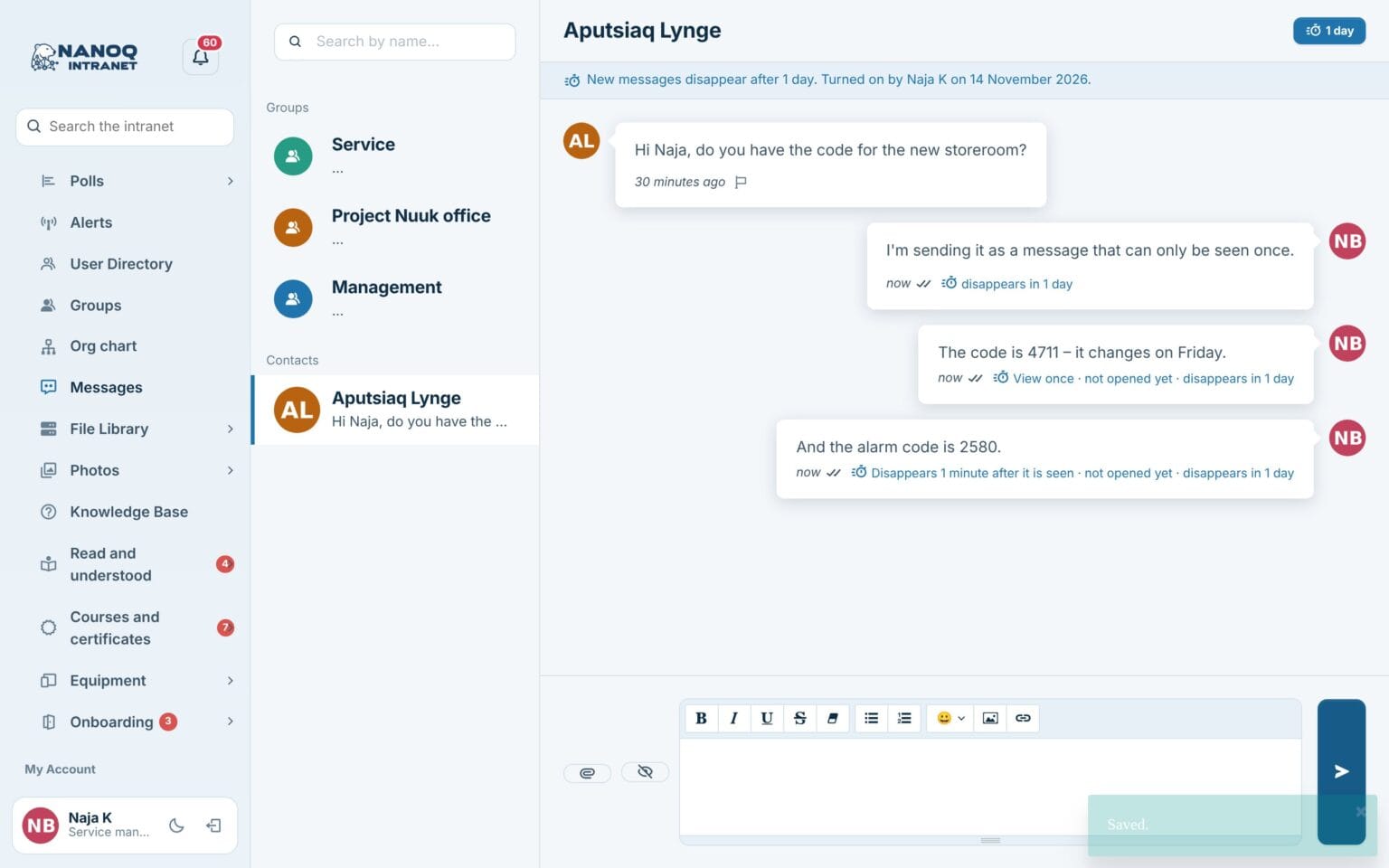
Good to know: If a file from the file library is shared, the library’s access rules still apply. Messages that disappear are off until the administrator turns them on – and screenshots cannot be prevented.
See also
People
Member directory, profiles, profile fields and contacts – find the right colleague.
Groups and access
Departments with managers and members that control who sees what.
Ready to try Nanoq?
Log in to the demo as a managing director, manager or employee and see how it all fits together.
Demo login: username malu, ane, naja, hans, nivi or kunuk (Greenlandic) – password Nordlys2026