Time and HR
The shift plan is ready – and everyone knows their shifts
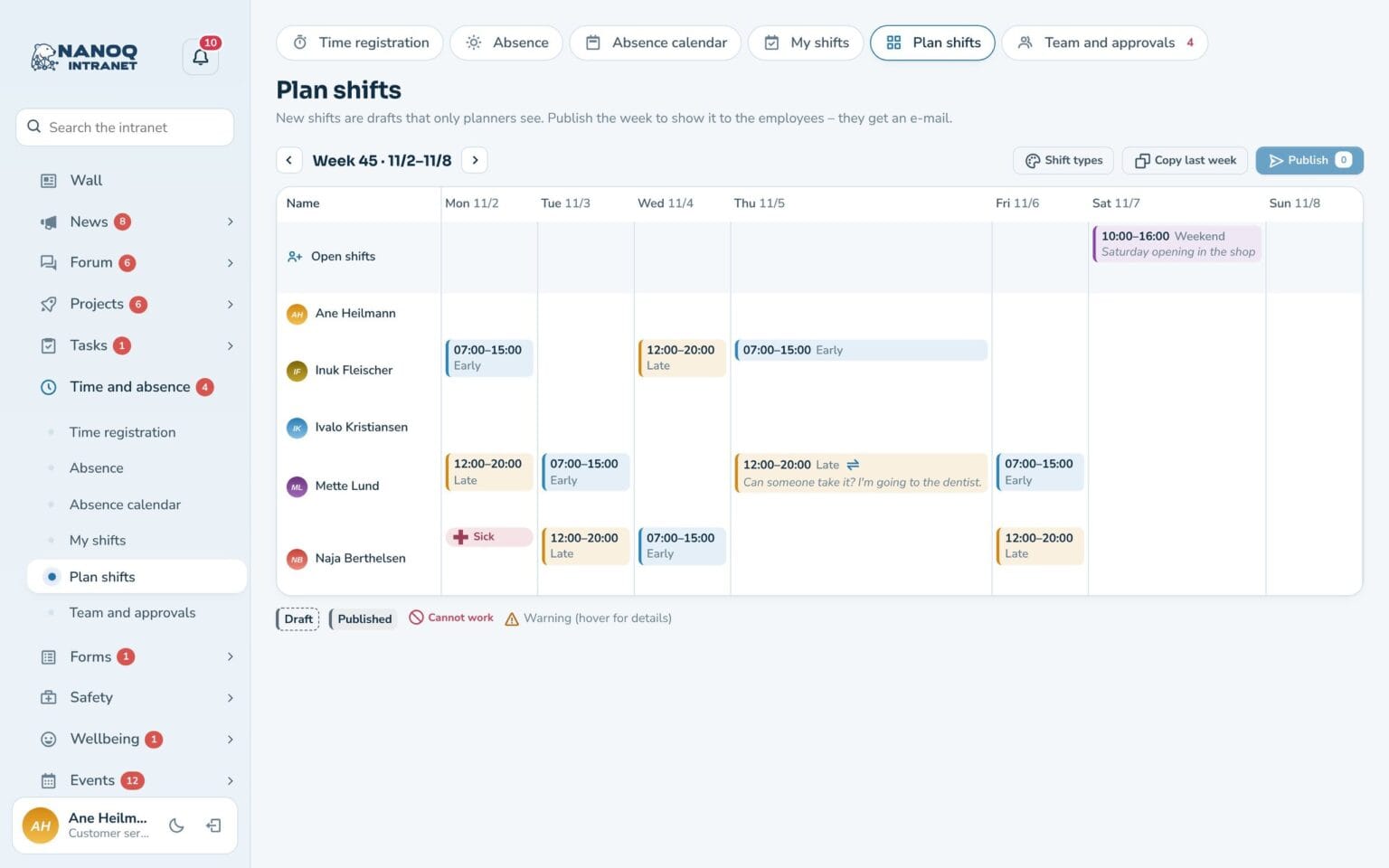
Plan the week’s shifts for each department, publish them, and employees are notified by email and in their own calendar. Open shifts can be taken by colleagues.
What the module does
Plan the week’s shifts, share open shifts and send shifts to the phone’s calendar.
Week plan
One row per employee with hours against standard hours.
Shift types
For example Early, Late and Weekend with fixed times and colours.
Copy last week
Start from the previous week's plan.
Warnings
Absence, unavailable days, overlaps and too short rest periods.
Open shifts
Employees ask for an open shift, the manager approves.
In the calendar
Shifts and absence in Google, Outlook or iPhone.
Employees stay on top of their shifts
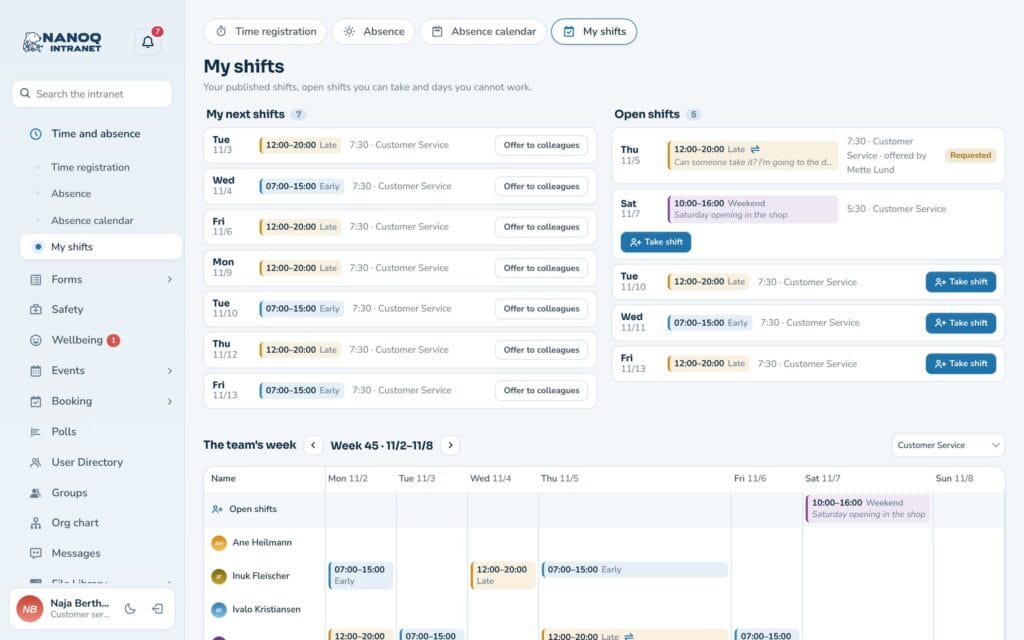
Under My shifts employees see their next shifts, open shifts and the whole team’s week. If you can’t take a shift, it can be offered to colleagues.
Good to know: New shifts are drafts until the manager clicks Publish. Only then are employees notified.
See also
Absence and leave
Holidays, sick leave and courses with approval, leave balance and absence calendar.
Time tracking
Time clock, hours, overtime and time bank – on the computer and the phone.
Ready to try Nanoq?
Log in to the demo as a managing director, manager or employee and see how it all fits together.
Demo login: username malu, ane, naja, hans, nivi or kunuk (Greenlandic) – password Nordlys2026