Knowledge and files
One search box. The whole intranet.
Search news, knowledge base, forum, events, projects, tasks, files, photos, people and groups at once – and find words inside documents. Search also covers equipment, form responses, emergency alerts and the files in the modules, and a full-text index makes it fast – even with many documents.
What the module does
One search box for the whole intranet – including the text inside documents.
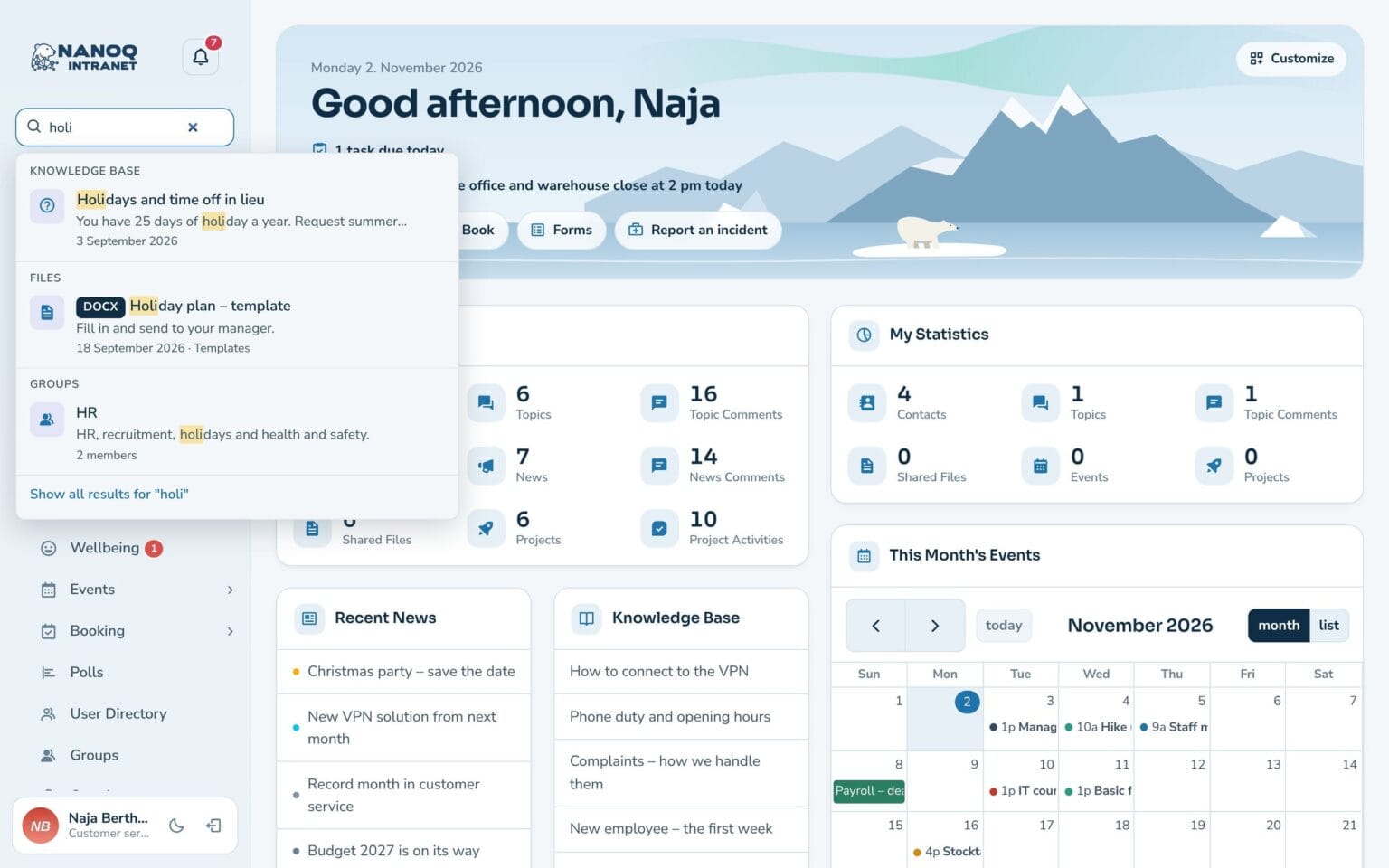
Suggestions as you type
Grouped by type, with arrow keys and Enter.
Inside the documents
Word, Excel, PowerPoint, OpenDocument and PDF – and with text recognition (OCR) also scanned PDFs and images.
Typos and word forms
Houses finds house, and a small typo still finds the right thing. Put words in quotation marks for an exact phrase.
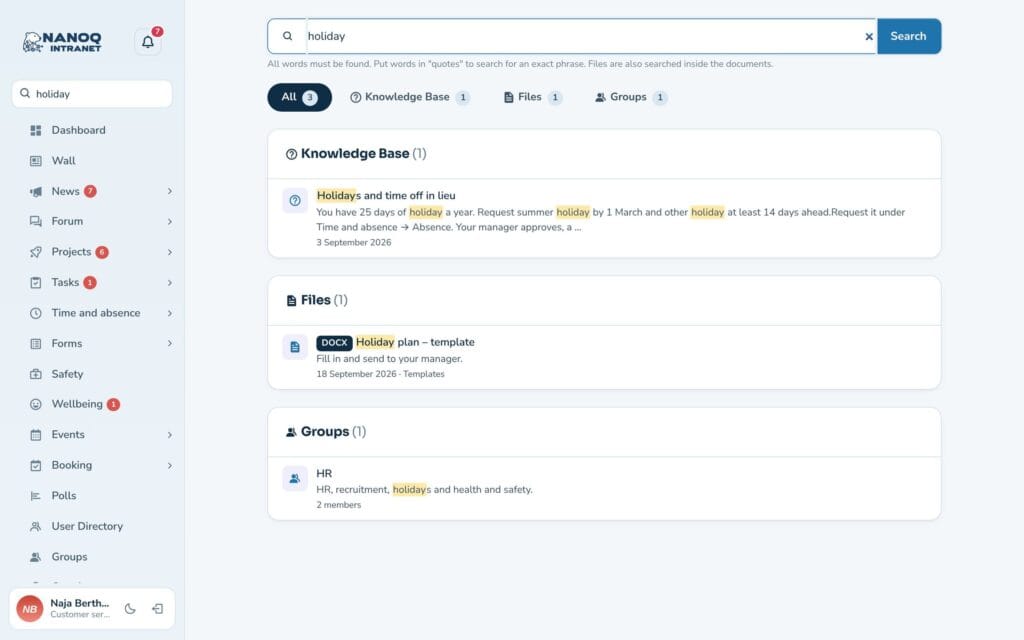
Tabs per type
See only files, only people or only tasks.
Highlighted words
See straight away where the word appears.
Only what you may see
Search follows the same access rules as the modules.
Find the staff handbook in two seconds
Type “holiday”, and Nanoq shows the article in the knowledge base, the holiday plan and the place in the staff handbook where the word appears.
Good to know: Press the / key to jump straight to the search box.
See also
File library
Documents in folders with versions, check-out and access by department.
Knowledge base
Guides and rules gathered in categories, so the answers are easy to find.
Ready to try Nanoq?
Log in to the demo as a managing director, manager or employee and see how it all fits together.
Demo login: username malu, ane, naja, hans, nivi or kunuk (Greenlandic) – password Nordlys2026