Foundation
Your working day starts here
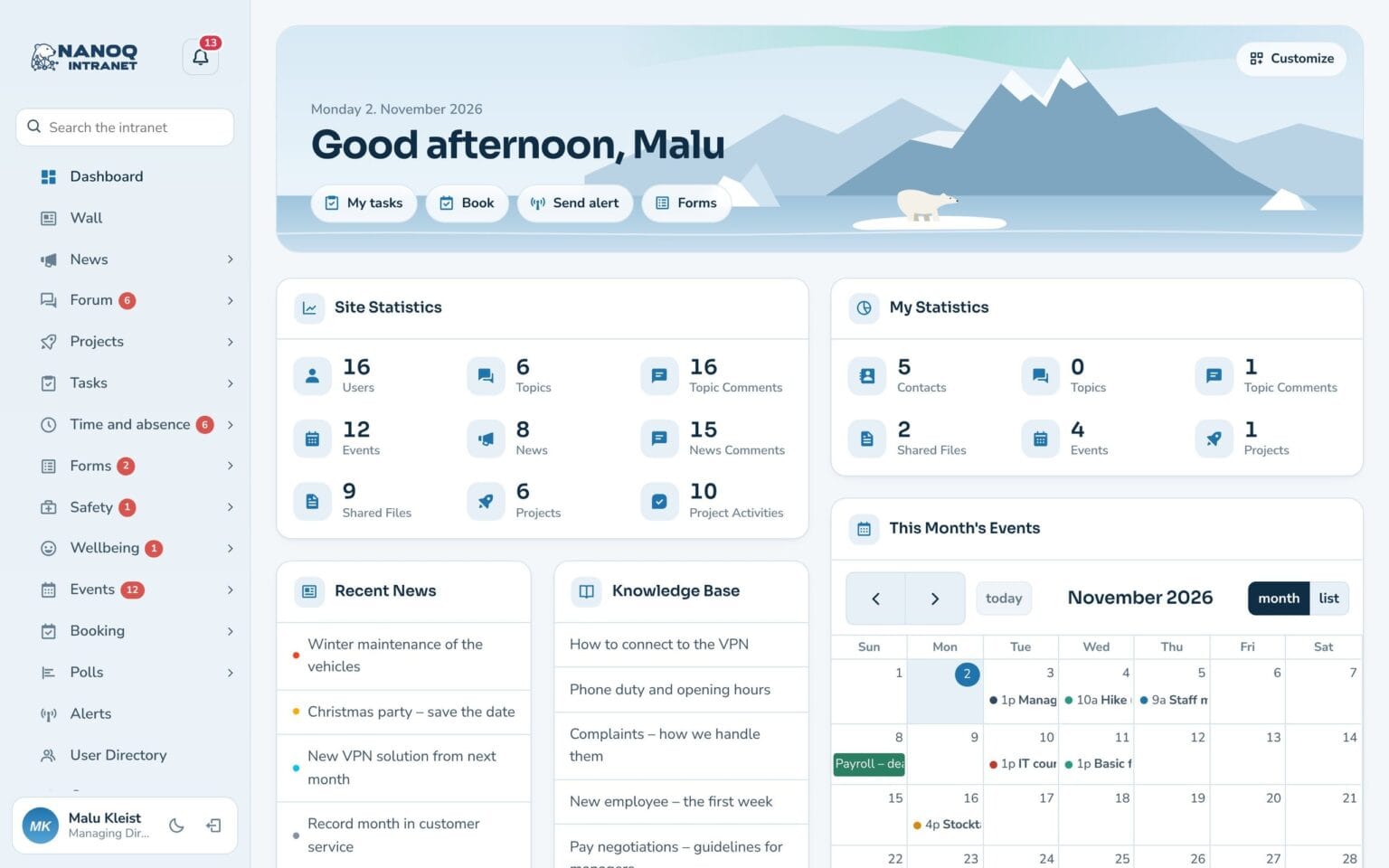
The dashboard is the personal start page in Nanoq. It says good morning, shows today’s tasks and shifts and brings the most important things from all modules together on one screen.
What the module does
A personal start page with a greeting, shortcuts and the widgets you choose yourself.
Welcome banner
A greeting by time of day, today's date and the number of tasks today.
Shortcuts
One click to the modules you use most.
15 widgets
News, calendar, tasks, time clock, “who's away today” and much more.
Make it your own
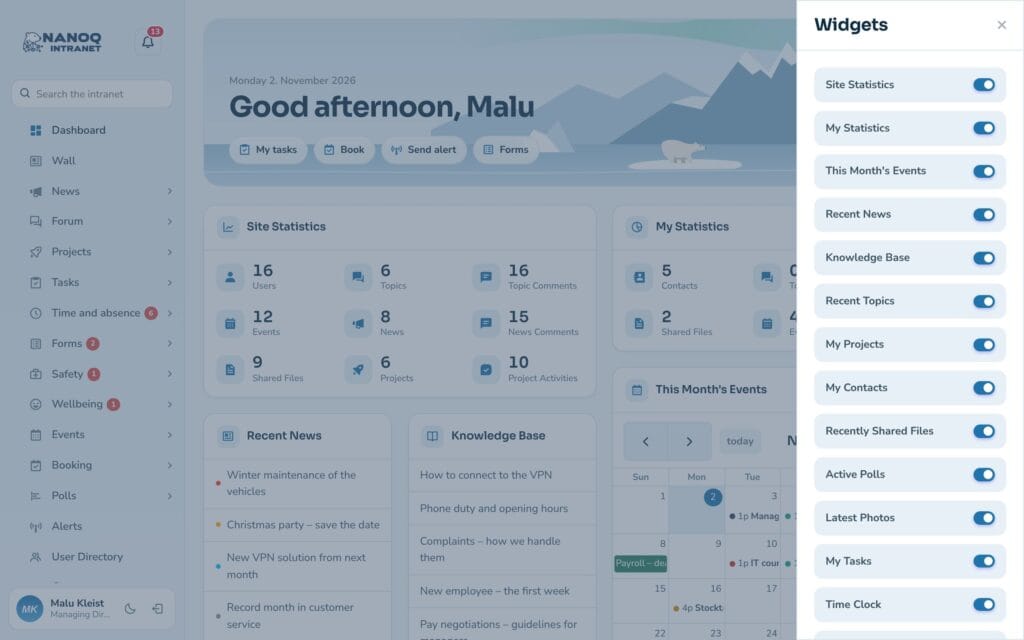
Switch widgets on and off, and drag them into the order you want.
Light and dark
Change the look with one click – the choice is remembered.
Your own picture
Replace the landscape in the banner with a photo from your own town.
Choose what you want to see
Click Customise and choose between widgets such as Latest news, My tasks, Time clock, My next shifts and Active polls. The administrator decides which widgets are available.
Good to know: Numbers on the menu items show what is waiting – e.g. unread messages or absence to approve.
See also
Tasks
Personal and shared task lists with quick add, a board and an overview for the manager.
Time tracking
Time clock, hours, overtime and time bank – on the computer and the phone.
Ready to try Nanoq?
Log in to the demo as a managing director, manager or employee and see how it all fits together.
Demo login: username malu, ane, naja, hans, nivi or kunuk (Greenlandic) – password Nordlys2026