Intranet for WordPress
Your whole workplace in one place
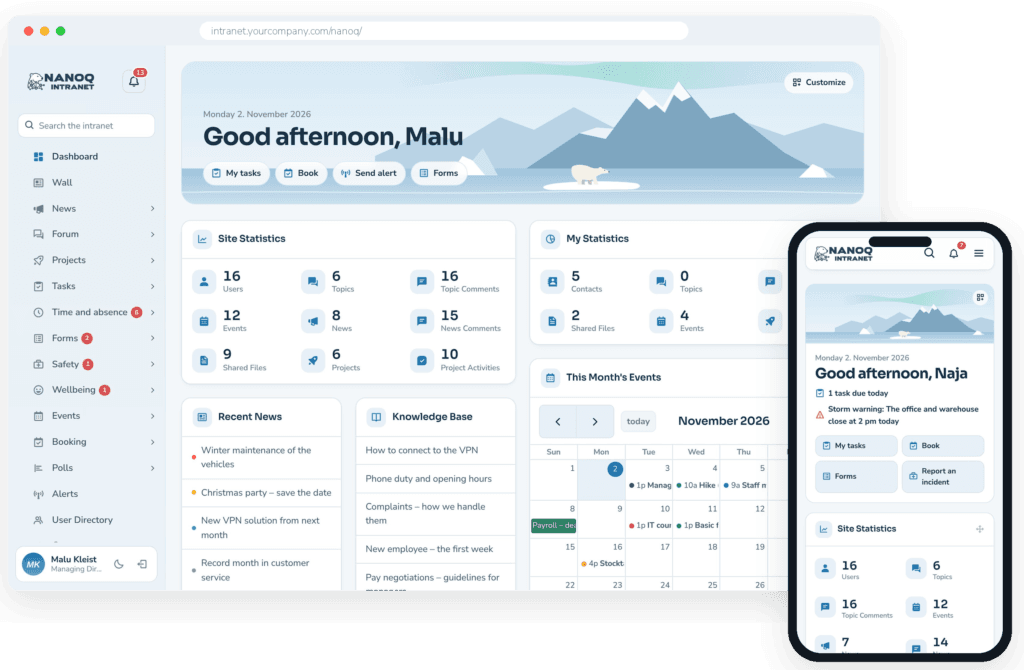
Nanoq Intranet gives your employees news, tasks, documents, time tracking, leave and shift planning in one app – on the computer and on the phone. The system is available in English, Danish and Greenlandic.
Nothing to install to try it. Log in as one of the demo employees.
Everyone hears the same thing
News, forum, messages and events in one place – not scattered across emails, notice boards and Facebook groups.
The work gets done
Tasks, projects and boards where everyone can see who is doing what – and what is still missing.
Time, leave and shifts sorted
Time clock, holidays, sick leave and shift planning with approval – no spreadsheets.
Tasks
From “don't forget” to “done”
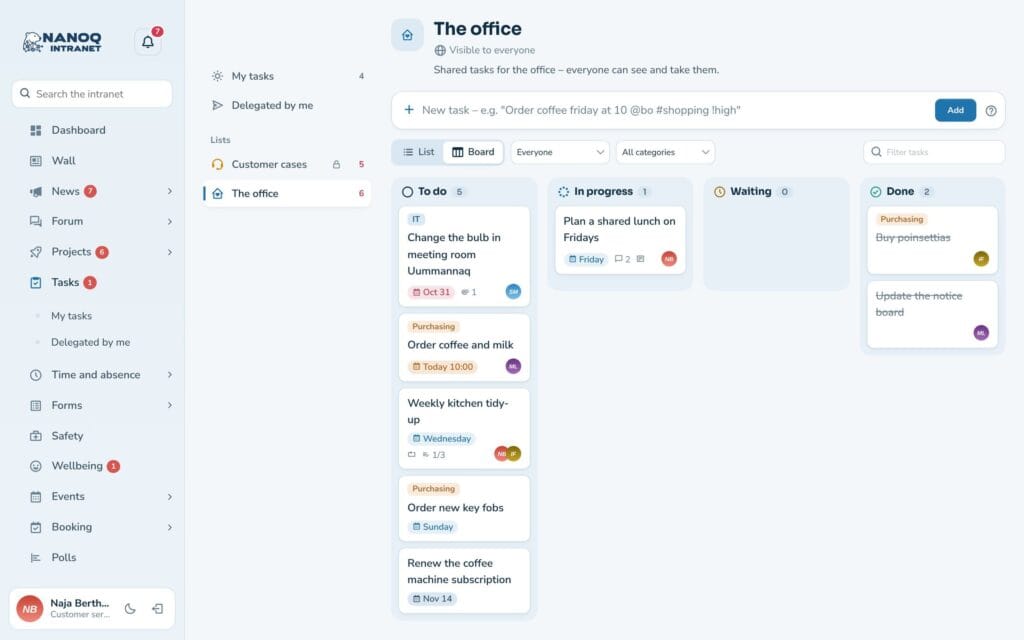
Write a task on one line – “Ring til kunden i morgen kl. 10 @inuk” (call the customer tomorrow at 10) – and Nanoq understands the rest. Shared lists for every department, a drag-and-drop board and a daily reminder of what is urgent.
- Quick add with natural phrases
- Recurring tasks
- Overview for the manager
Time and absence
Shift planning and leave without spreadsheets
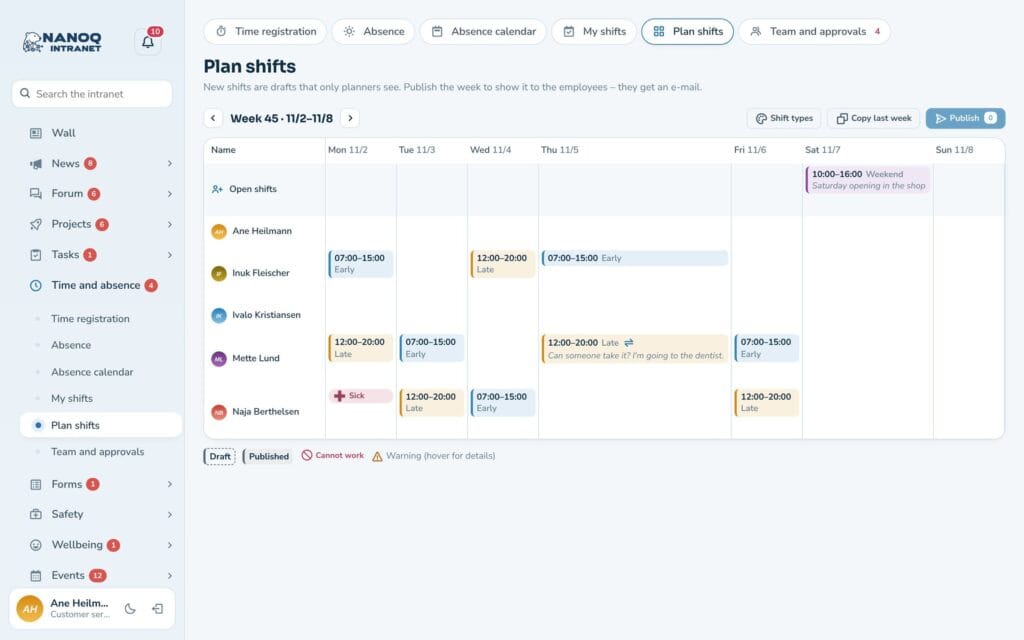
The manager plans the week’s shifts in a few minutes and instantly sees who is on holiday or off sick. Employees clock in on their phone, request leave and get their shifts straight into their calendar.
- Time clock and time bank
- Leave with approval
- Shifts in the phone's calendar
Documents
Find the right version – every time
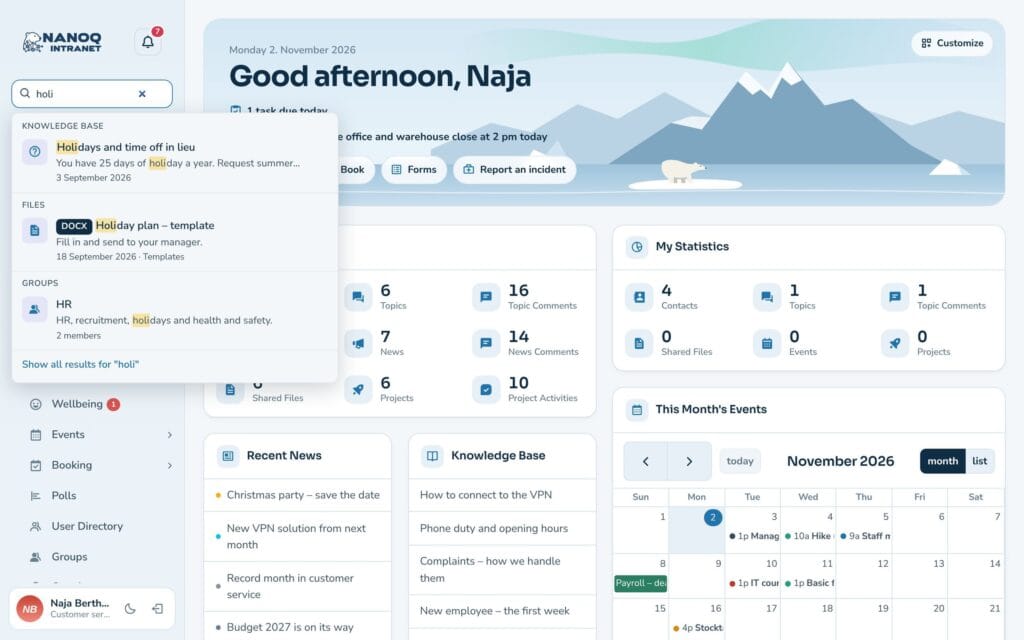
The staff handbook, templates and minutes live together in folders with versions and check-out. Search also finds words inside Word, Excel and PDF files.
- Versions and check-out
- Search inside documents
- Folders locked to departments
Communication
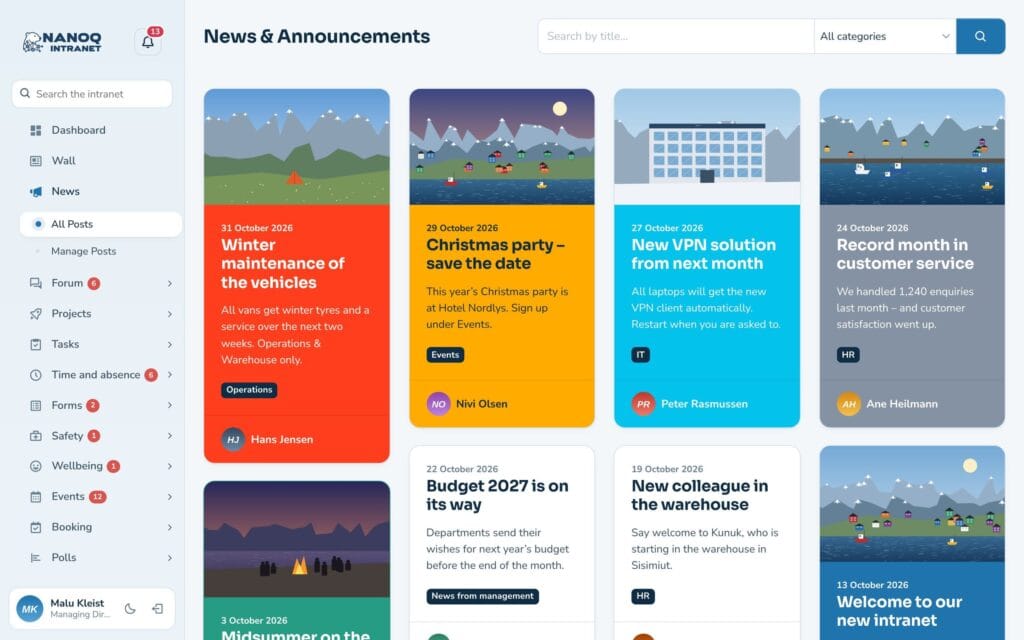
News that actually gets read
Share news from management and departments with a picture and a category, and read the comments. A news item can go to the whole organisation or to just one department.
- Cards with pictures
- Comments
- Targeted at groups
40 modules. Switch on the ones you need.
Every module can be switched on and off. Start with news and tasks, and add time tracking and shift planning when you are ready.
Events
A shared calendar for meetings, courses and parties with location, picture and description.
Polls
Ask your colleagues – with or without names – and see the result straight away.
Knowledge base
Guides and rules gathered in categories, so the answers are easy to find.
File library
Documents in folders with versions, check-out and access by department.
Photos
Albums with photos from everyday life and events – open to everyone or only to some.
Search
One search box for the whole intranet – including the text inside documents.
Groups and access
Departments with managers and members that control who sees what.
Time tracking
Time clock, hours, overtime and time bank – on the computer and the phone.
Absence and leave
Holidays, sick leave and courses with approval, leave balance and absence calendar.
Shift planning
Plan the week's shifts, share open shifts and send shifts to the phone's calendar.
Dashboard
A personal start page with a greeting, shortcuts and the widgets you choose yourself.
Administration and design
Modules, roles, profile fields and the Arctic design – managed from WordPress.
Whistleblower scheme
Anonymous reports with a case number and key – only the appointed case handlers can see them.
GDPR and former employees
Anonymise employees who have left – personal data is deleted, the work stays.
Two-factor login
A code from an app or by email at login – so a stolen password is not enough.
Hidden login
Move the WordPress login to a secret address – so bots cannot guess passwords.
Notifications and app
Bell, pop-up and push notifications on the phone – and the intranet as an app on the home screen.
Greenlandic and languages
The intranet in English, Danish or Greenlandic – and every employee chooses their own language.
Emergency alerts
Important messages at the top of the screen and as push – with an overview of who has seen and acknowledged them.
Booking
Book meeting rooms, cars, boats and equipment in one calendar – without double bookings.
Org chart
Who reports to whom? A chart that draws itself from departments and managers.
Forms and approvals
Courses, purchases and IT access with step-by-step approval – from submitted to done.
Incident reporting
Report accidents, near misses and hazards – with case handling, actions and statistics.
Wall
Posts with photos and video, comments and @mentions – for everyone, a group or only your contacts.
Likes
Like posts, comments, news, photos and events – with five reactions.
Moderation
Report posts, comments, forum replies, news and photos, and handle it all in one place – with word filter, blocking and log.
Registration and membership
Let new users apply for access or send invitations – with confirmation and approval.
Wellbeing surveys
Anonymous weekly pulse, wellbeing survey and eNPS – with trends over time and results by department.
Courses and certificates
Certificates with expiry dates, reminders before they expire, a matrix for the whole workplace and courses with sign-up.
Equipment and inventory
A register of computers, phones and keys – hand-out with receipt, fault reports, service and QR labels.
Onboarding and offboarding
Checklists for starters and leavers with tasks for HR, IT, manager and mentor – and a welcome page for the new employee.
Read and understood
Ask employees to read and confirm policies and rules – with deadline, reminders, versions and status for the auditors.
Mobile app
The Nanoq app for iPhone and Android – push, the essentials offline and sharing from the phone.
Microsoft and Google
Log in with the work account from Microsoft 365 or Google Workspace – with groups and closing of accounts deleted there.
Mobile and dark mode
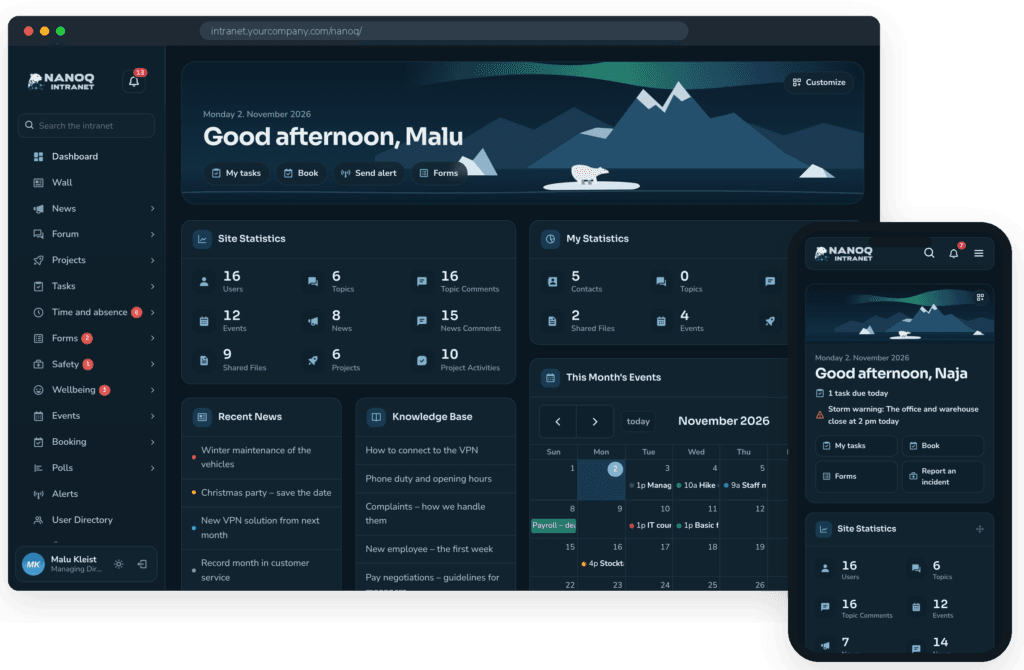
Made for the phone – and for the polar night
Nanoq adapts to the screen, and with the Nanoq app for iPhone and Android the warehouse, the shop and the drivers have everything in their pocket – with push notifications and the essentials even offline. With dark mode it is comfortable to use late in the evening, too.
- Free app for iPhone and Android – or use the phone’s browser
- Light and dark mode with one click
- Arctic design with polar bear and northern lights
Security and control
Your data. Your rules.
Nanoq runs on your own WordPress installation. You decide where the data lives and who sees what.
On your own server
No external cloud, no data with third parties.
Access by department
News, folders, albums and lists can be locked to groups.
Protected files
Documents and photos can only be downloaded by users with access.
Roles
Choose which roles may create content in each module.
Privacy for absence
Colleagues never see that someone is sick – only that they are away.
Activity log
See who created, edited and deleted what.
Made in Sisimiut – for workplaces in Greenland, Denmark and beyond
Nanoq speaks English, Danish and Greenlandic, knows both Greenlandic and Danish public holidays and handles holiday years (including those that start on 1 September), rest periods between shifts and long distances between towns – and everything works on the phone. Developed by Arctic IT.
How to get started
Install the plugin
Nanoq is installed as an ordinary WordPress plugin on your site.
Create departments and users
Choose modules, create groups and invite your employees.
Start using it
Employees log in on the computer or the phone. We are happy to help with the setup.
Frequently asked questions
Yes. Nanoq is a WordPress plugin. If you don’t have a site, we can set one up for you.
Yes. The intranet adapts to the screen and can be added to the home screen as an app.
No. Every module can be switched on and off, and you can start small.
On your own WordPress server. You choose your own hosting.
Yes – warehouse, shop and drivers use it on the phone, for example for the time clock and shift plan.
One fixed price for all modules and unlimited users. See Pricing.
See it for yourself
Log in to the demo as a managing director, manager or employee, and try all the modules with real data.
Demo login: username malu, ane, naja, hans, nivi or kunuk (Greenlandic) – password Nordlys2026