Time and HR
Who has which computer, phone and key?
A register of the workplace’s equipment: computers, phones, monitors, keys, workwear and machines. Hand out with a receipt, record returns, and let employees report faults and request new items in the app.
What the module does
From hand-out with receipt to service, warranty, consumables with a shopping list and QR labels on one sheet.
One register
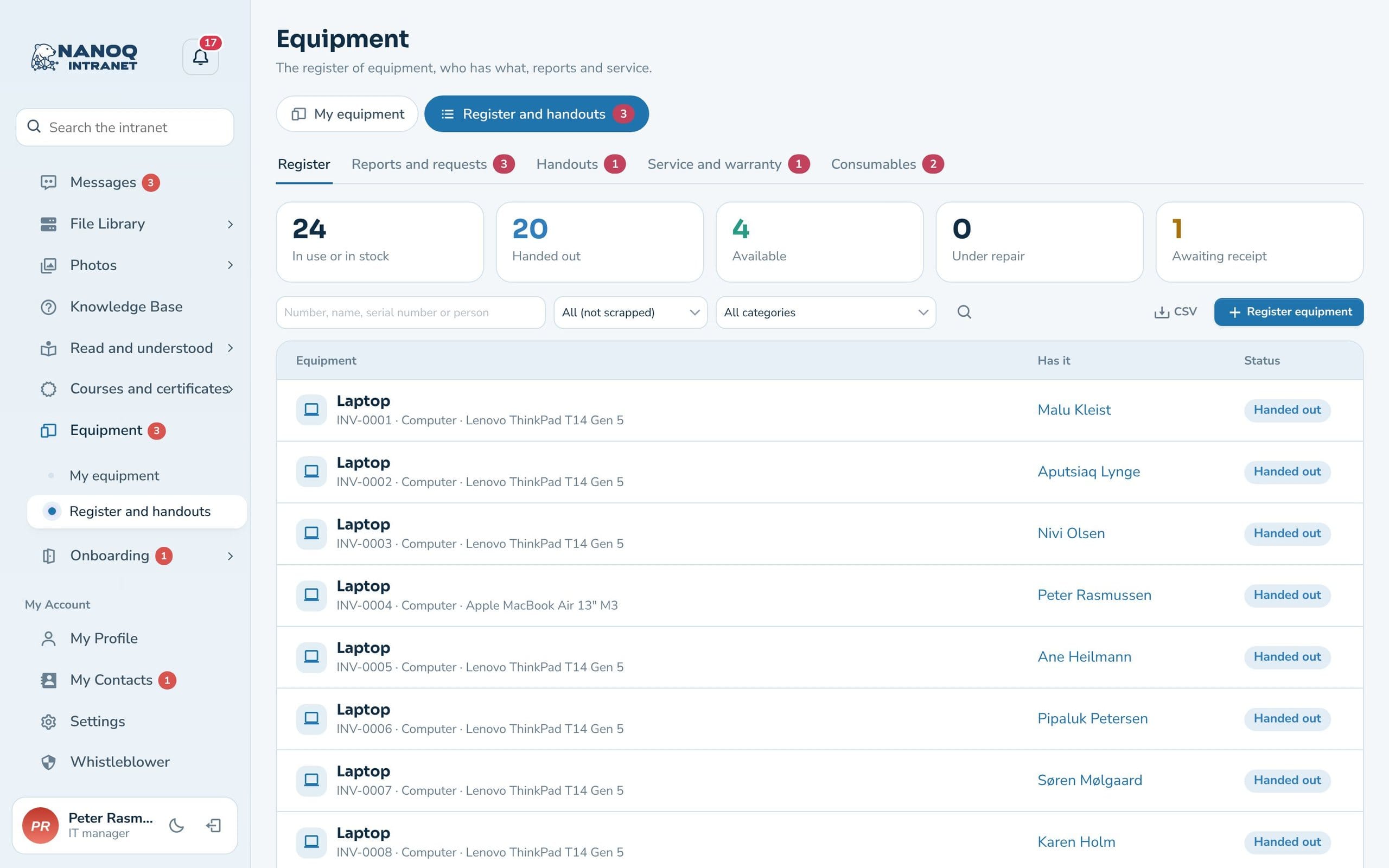
Inventory number, category, model, serial number, location, purchase date, price, supplier and warranty – search and filter, and download as CSV. Attach receipts, manuals and photos, and find the equipment in search.
Hand-out with receipt
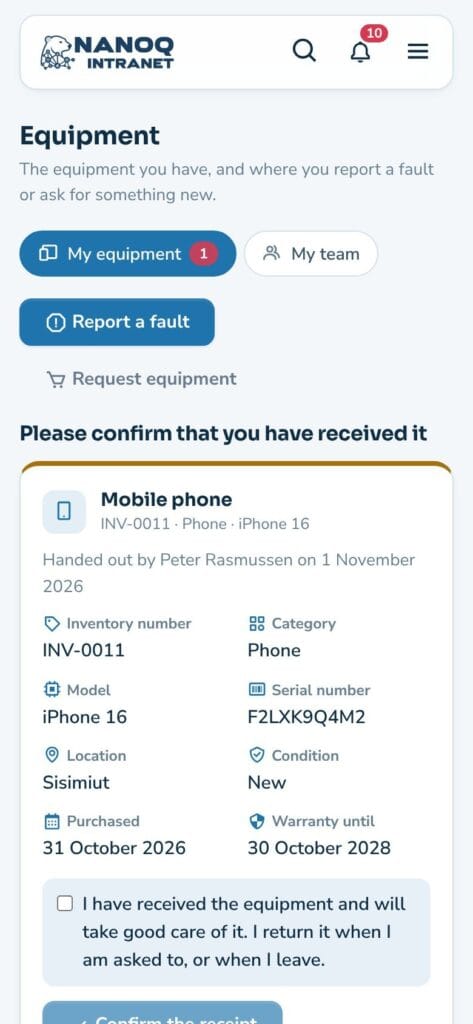
The employee confirms in the app that the equipment has been received. Loans get a return date and a reminder.
Report faults and make requests
"The screen is cracked" or "I need warm gloves": the employee writes it in the app, and IT/HR replies and follows the case.
Service and warranty
Service every N months and warranty expiry – with a reminder to IT/HR in good time.
QR label
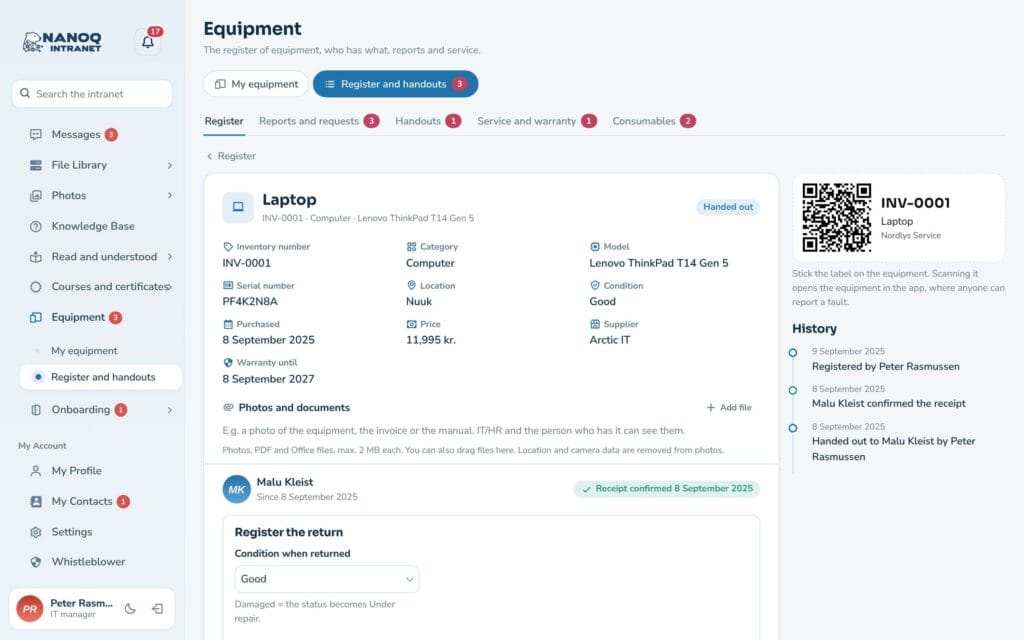
Print a label for the equipment. When it is scanned, the item opens in the app, where anyone can report a fault. Print many at once on an A4 sheet with 21 or 24 labels.
My team
Department managers see which equipment their employees have and look after the department's stock.
My equipment
Employees see the equipment they have, with “return by” for loans, their fault reports and requests with replies from IT/HR – and confirm new equipment with a tick. If it hasn’t been received, they say so with one click, and the equipment becomes available again.
Register and hand-out
IT and HR have the register with key figures, search and filters, the cases, hand-outs awaiting receipt, and service and warranty. The equipment page shows the facts, who has it, the history and the QR label. Equipment that has been handed out is scrapped rather than deleted, so the history is kept. Consumables such as printer paper, toner and gloves have their own tab with quantity and minimum, and IT/HR are notified when something is running low. Each department can have its own stock, and with price and supplier on the items Nanoq works out the shopping list and stock value.
Good to know: Price, supplier and serial number are only shown to IT/HR and the person who has the equipment. When an employee leaves, the offboarding shows the equipment to be returned. The module is off until you switch it on under Nanoq → Equipment and inventory.
See also
Onboarding and offboarding
Hand out equipment to new employees – and get it back when someone leaves.
Booking
Shared equipment such as cars and projectors is booked in Booking.
Ready to try Nanoq?
Log in to the demo as a managing director, manager or employee and see how it all fits together.
Demo login: username malu, ane, naja, hans, nivi or kunuk (Greenlandic) – password Nordlys2026