Time and HR
Clock in – from the phone too
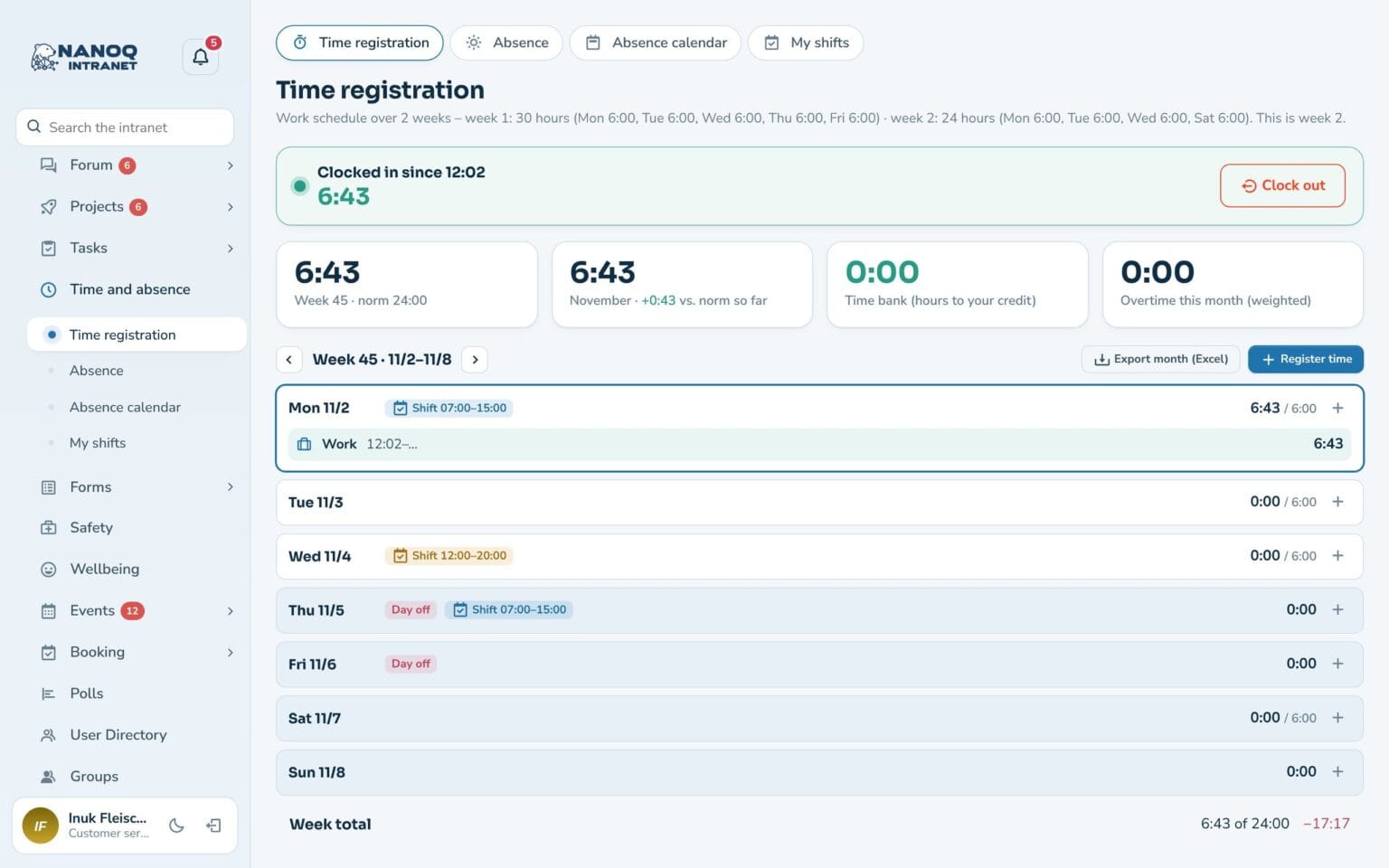
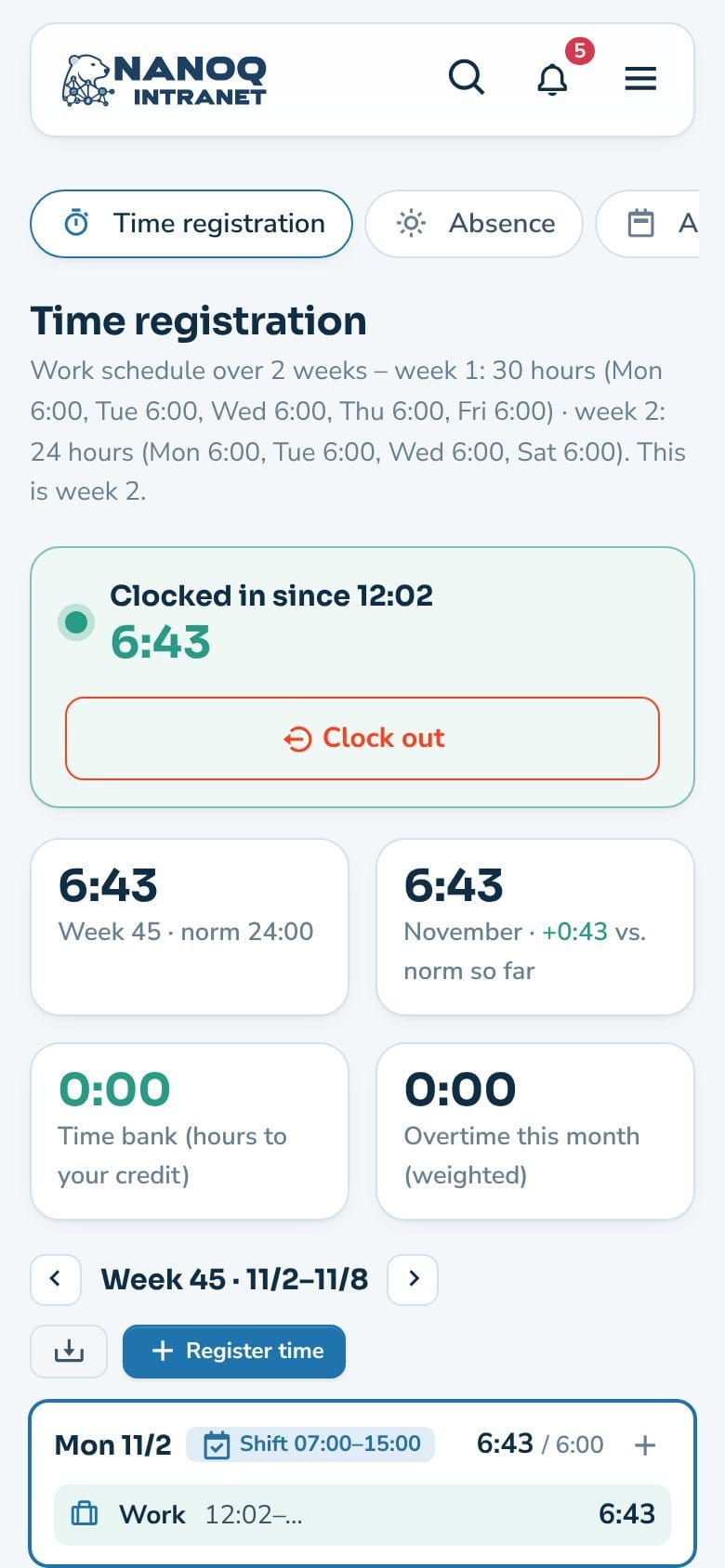
Employees clock in and out with one tap or record their time themselves. Nanoq calculates standard hours, overtime and time bank – with public holidays and approved absence deducted. Each employee can have their own work schedule: part-time, four-day week or alternating weeks – with start and end times if you like. The manager approves the month’s hours, and shifts can count as recorded time.
What the module does
Time clock, hours, overtime and time bank – on the computer and the phone.
Time clock
On the page and as a widget on the dashboard.
Week view
Every day with hours against the employee's own standard hours and the week's shifts – shifts can count as recorded time.
Overtime and time off in lieu
With a factor, e.g. a 50% supplement.
Time bank
How many hours you have to your credit.
Forgot to clock out?
The registration closes automatically after a fixed number of hours.
Approval of hours
The employee submits the month, the manager approves it, and then it is locked. Hours can be exported to Excel.
Made for the pocket
In the warehouse and in the van, the phone is closest to hand. Time tracking works just as well on the small screen, and the manager sees the hours straight away.
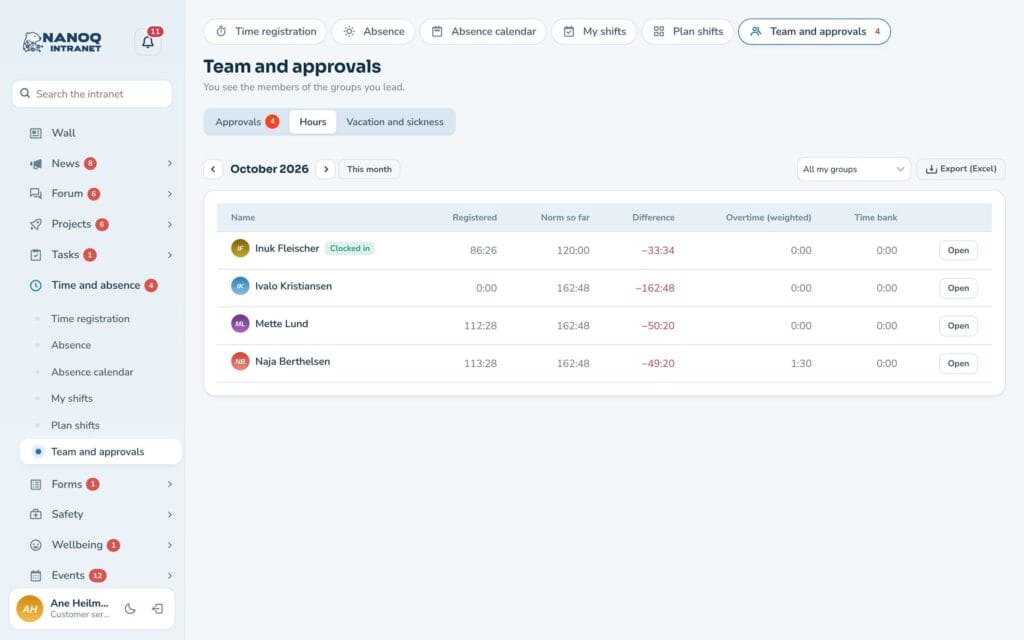
An overview of the team's hours
Under Team and approvals the manager sees recorded time, standard hours, difference, overtime and time bank for the whole month – and can export it. Months submitted for approval are approved or reopened in the same place.
See also
Absence and leave
Holidays, sick leave and courses with approval, leave balance and absence calendar.
Shift planning
Plan the week's shifts, share open shifts and send shifts to the phone's calendar.
Ready to try Nanoq?
Log in to the demo as a managing director, manager or employee and see how it all fits together.
Demo login: username malu, ane, naja, hans, nivi or kunuk (Greenlandic) – password Nordlys2026