Guides › Knowledge and files
Photos
Albums with photos from everyday life and events – open to everyone or only to some.
What the module does
Photos is the intranet’s photo album: the Christmas party, the new warehouse, the team photo from the company trip.
- Albums and sub-albums.
- Upload many photos at once – also from the phone.
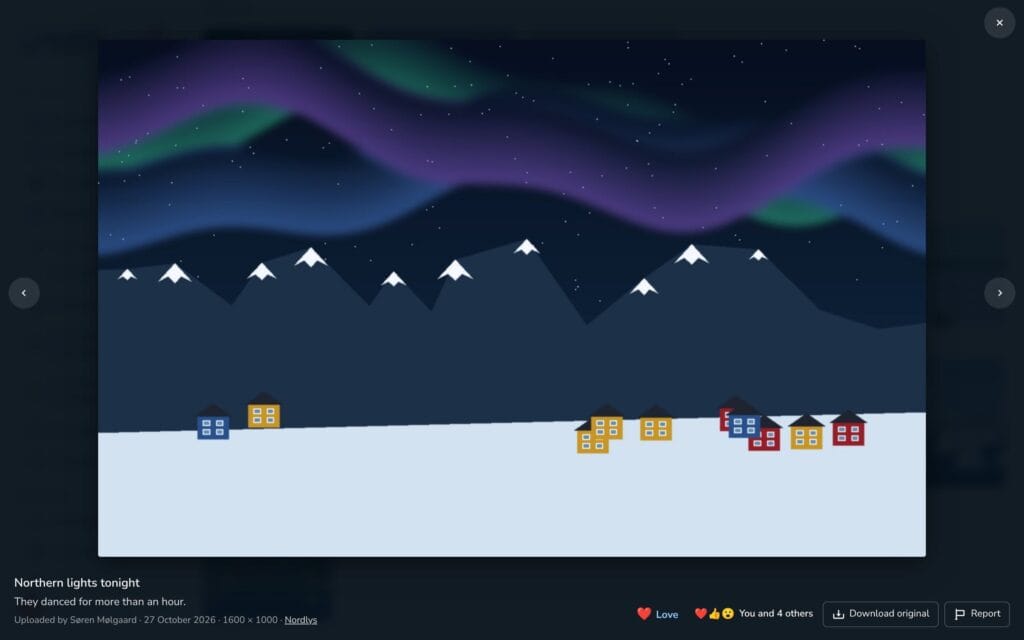
- Lightbox with arrows, swipe and download.
- Private photos for chosen people, and albums that can be locked to groups.
- The photos are stored protected and can only be seen by logged-in users with access.
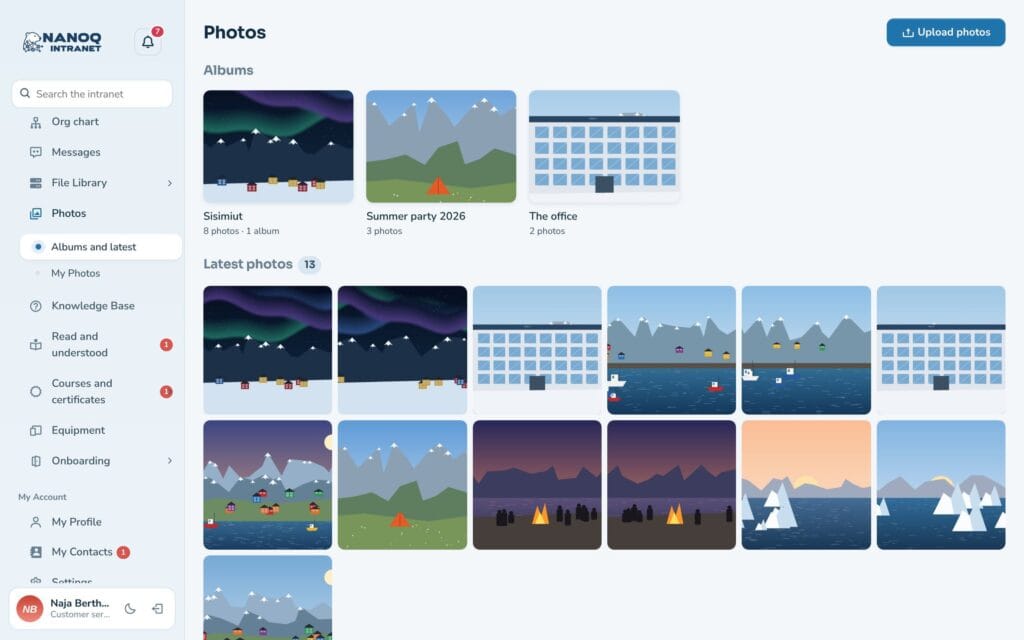
View photos
Click Photos in the menu. Choose an album and click a photo to open it in the lightbox. Use the arrow keys, or swipe on the phone. In the lightbox you can download the photo in full size.
Upload photos
- Click the upload button.
- Choose one or more photos (JPG, PNG, GIF or WebP).
- Choose an album, and optionally write a title and a caption.
- Choose whether the photos are for everyone with access to the album or private for chosen people.
- Upload. A bar shows the progress.
You’ll find your own photos under My Photos. Here you can edit the title and caption, move them to another album or delete them.
Ask for permission before you upload photos of colleagues – especially if the album is open to everyone.
Albums and access
Albums are created by administrators and editors. An album can be locked to groups, and the lock also applies to sub-albums. Editors can only choose the groups they are members of themselves.
For administrators
Under Nanoq → Photos:
- Turn the module on/off.
- Roles that may not see photos, and roles that may not upload.
Uploads, changes, deletions and downloads are written to the activity log.
Good to know
- iPhone photos in HEIC format can be uploaded directly (from version 1.36). The browser converts them to JPG when it can (e.g. Safari) – otherwise the server does it, if it can read HEIC.
- Text in a photo – such as a photographed notice or a receipt – can be found in search (OCR, from version 1.41).
- The GPS position is removed from the photo when it is uploaded – also from the original (from version 1.55). Other camera data stays in the original; the smaller display sizes have none.
- Photos can be shown on an ordinary page with
[nanoq_photos]– only for logged-in users. See Shortcodes.