Guides › Foundation
Languages and Greenlandic
Nanoq is available in Danish, Greenlandic (Kalaallisut) and English. Choose the intranet’s language – and let each employee choose their own.
What the module does
Nanoq can be shown in several languages. The intranet has a shared language, and each employee can choose a different one for themselves.
- Dansk, Kalaallisut (Greenlandic) and English are included.
- The whole intranet can run in Greenlandic – including the login page.
- Each employee chooses under Settings.
- Notifications, pop-ups and push notifications arrive in the recipient’s own language.
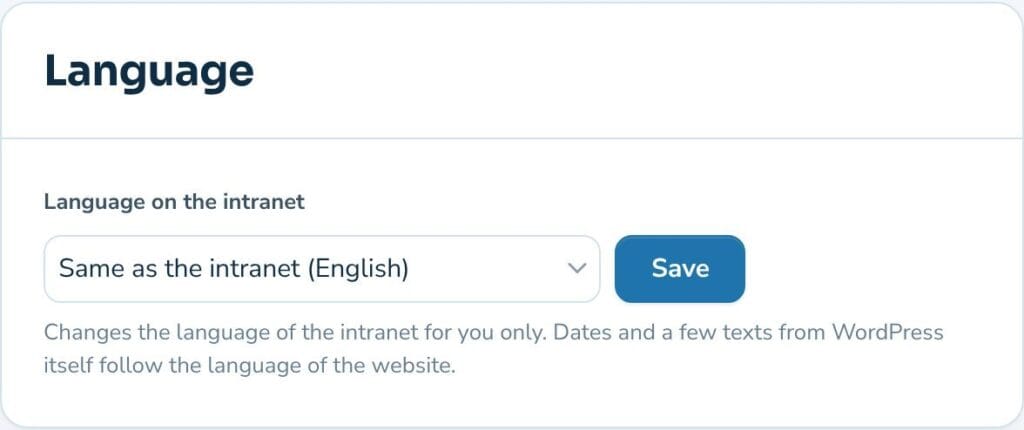
Choose your own language
- Go to Settings in the app.
- Find the Language card and choose in the Language on the intranet list.
- Click Save.
“Same as the intranet” means that you follow the language the administrator has chosen. Your choice only applies to you.
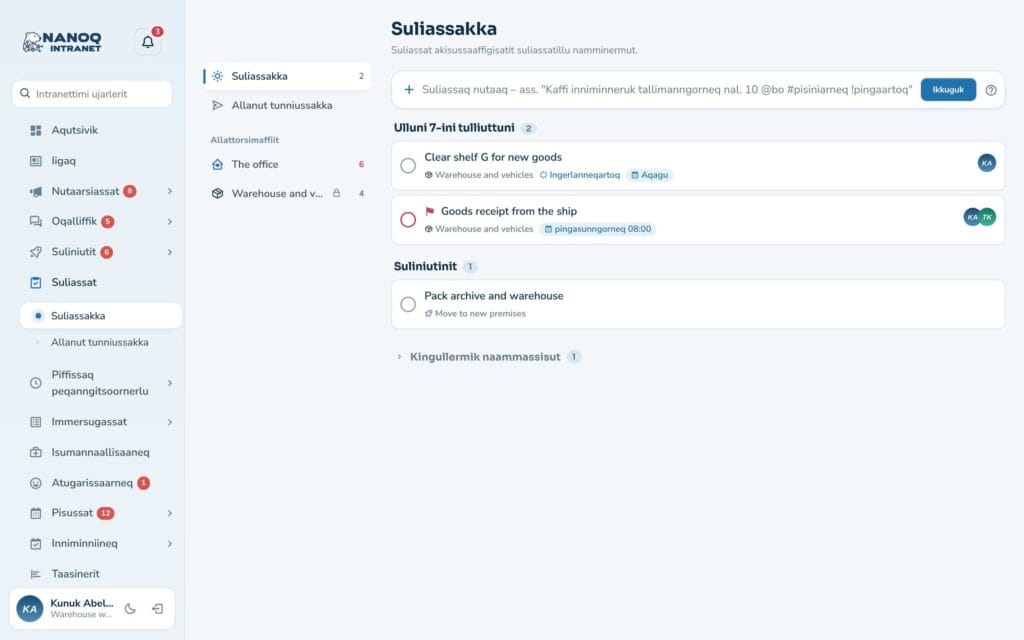
Quick add in Greenlandic
In Tasks, quick add understands the Greenlandic and Danish words as well as the English ones – for example ullumi, i dag and today. You can write the way you are used to.
For administrators
Under Nanoq → General:
- Language – the intranet’s language. “Same as WordPress” follows the site’s language. Choose Kalaallisut here if the whole intranet should be in Greenlandic.
- Users choose their own language – whether the Language card is shown to employees.
- Languages the users can choose – untick the languages you don’t want to offer. If there is only one language to choose, the card is hidden.
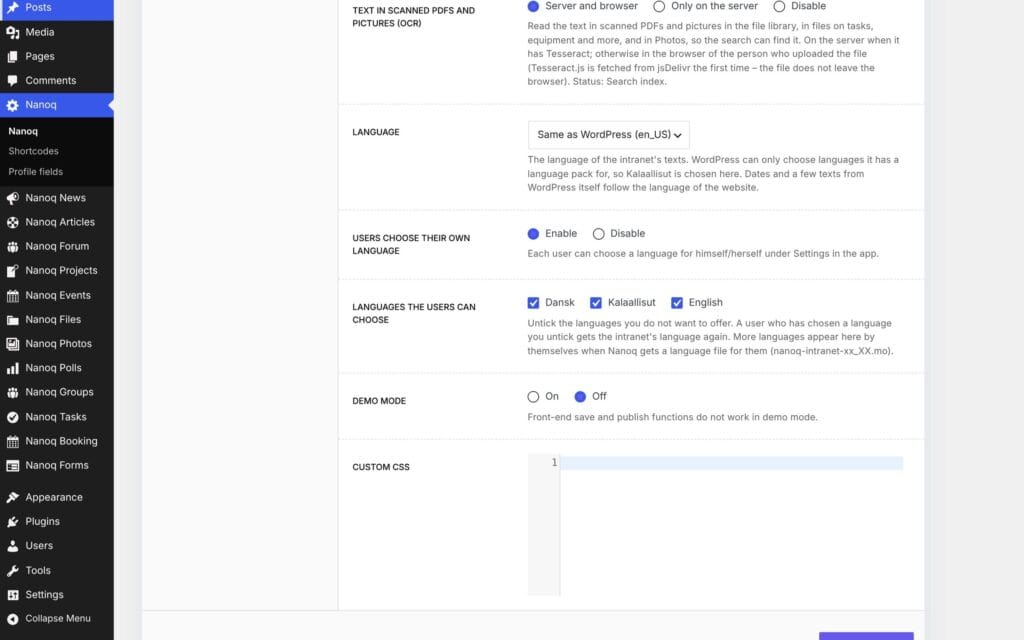
Why is Greenlandic chosen in Nanoq and not in WordPress? WordPress can only choose languages that have a language pack, and WordPress has no Greenlandic pack. That’s why Nanoq has its own language setting.
More languages
The list is built from Nanoq’s language files. If you put a language file nanoq-intranet-xx_XX.mo in wp-content/languages/plugins/, the language appears in the list by itself. WordPress’ own language packs don’t translate Nanoq.
Good to know
- Dates, month names and numbers are shown in each employee’s own language (from version 1.55). The calendar’s language is chosen in the settings, and wp-admin follows the site’s language.
- The Greenlandic translation is new. If you find a word that could be put better, write to us – and we’ll correct it in the next version.