Guides › Security and compliance
Whistleblower scheme
Anonymous reports with a case number and key. Only the designated case handlers can see them.
What the module does
The whistleblower scheme gives employees and others a safe way to report serious matters – without having to say who they are.
- Reports with or without logging in – also from a public page.
- No IP address, no user ID and no time of day is stored.
- The reporter gets a case number and a key and can follow the case and write with the case handler.
- Only the designated case handlers have access – not even administrators can see the cases.
- Deadlines for acknowledgement and feedback, and automatic deletion.
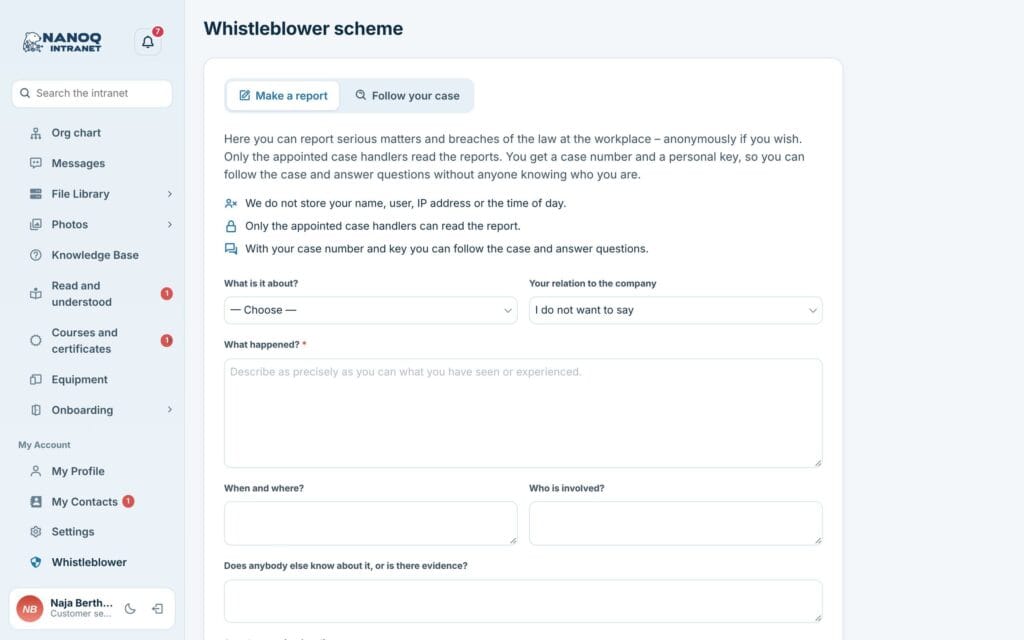
Make a report
- Open Whistleblower in the menu – or the public page the company has linked to.
- Choose a category and your connection to the company.
- Describe what happened, when and where, who is involved, and what evidence exists.
- Optionally attach up to 5 files.
- Only write your name and contact details if you want to.
- Send.
Afterwards the case number and key are shown once. Copy them, or save them as a text file.
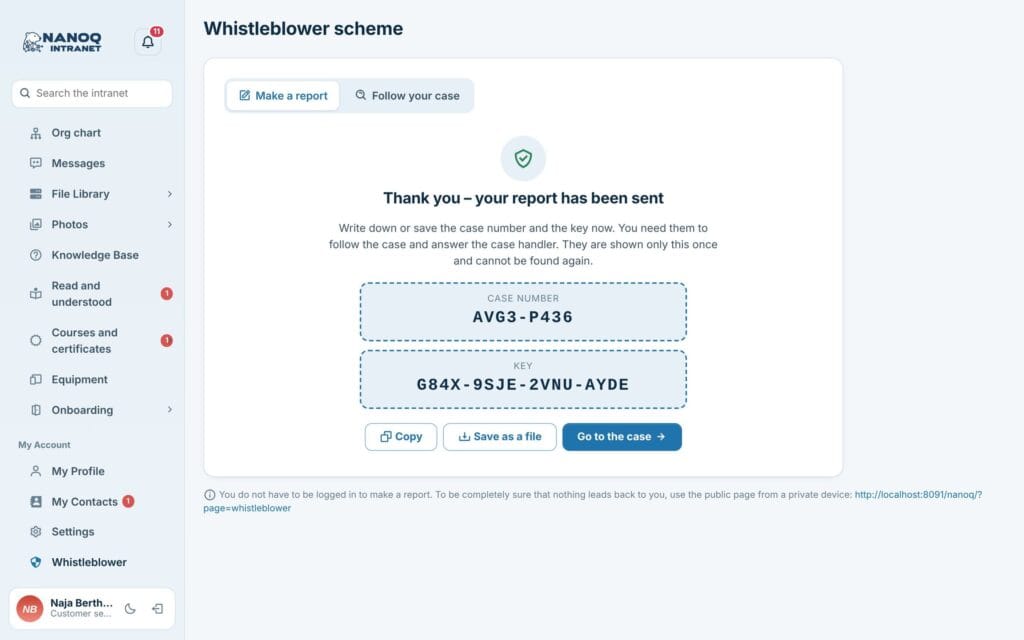
The key can’t be recovered. If you lose it, you have to make a new report.
Photos are cleaned of information such as GPS position. Word and PDF files can still contain the author’s name – check them before you attach them.
Follow your case
Click Follow your case and enter the case number and key. You see the status and the case handler’s replies, and can reply again – also with files.
For the case handlers
As a case handler you have an extra menu item with the cases and the Open and Closed tabs. New cases and unread replies are shown with a counter in the menu. Missed deadlines are marked.
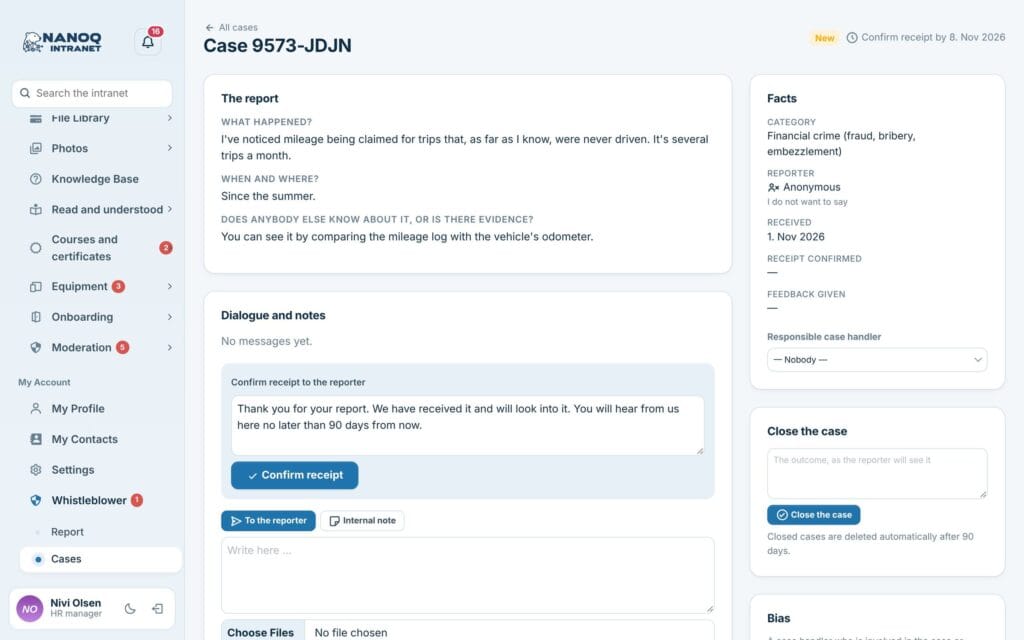
In a case you can:
- Acknowledge receipt (there is a suggested text),
- write to the reporter – with files,
- write internal notes that the reporter never sees,
- choose a responsible case handler,
- declare yourself disqualified or exclude a colleague from the case,
- close the case with an outcome the reporter can see – and reopen it,
- see the case log of who has opened the case and downloaded files.
Closed cases are deleted automatically after the chosen number of days – or straight away with Delete the case now.
For administrators
Under Nanoq → Whistleblower:
- Turn the module on (it is off by default).
- Choose case handlers.
- Reports without login, and whether the scheme is shown in the menu.
- Categories, introduction text and acknowledgement text.
- Deadlines for acknowledgement (default 7 days) and feedback (90 days), and deletion after closing (90 days).
The public page can also be shown on the website with [nanoq_whistleblower].
Good to know
- Emails to the case handlers only say that there is a new case – never what it is about.
- Reports, messages and attachments are encrypted in the database and in the files (from version 1.55). The key is in
wp-config.php(NANOQ_WB_KEY) or in the file.key.phpin the protected folder. Include it in your backup: if the key is lost, the cases cannot be read, and the scheme does not take new reports until it is put back. - Notifications about new reports and messages are only sent by the hourly job, so the time does not give the sender away. Consider short retention of the server’s own access logs.
- The scheme is built according to the EU Whistleblower Directive. Have a lawyer confirm which requirements apply to your company.