Security and compliance
Important rules – read, understood and confirmed
Ask employees to read the staff handbook, the IT security policy or the emergency plan and confirm with one click that they have read and understood it. You can see who has confirmed and who is missing.
What the module does
From a short message written in the module to a file in the file library – with deadline, reminders and documentation for the auditors.
Four kinds of content
A text written in the module, a news item, a knowledge base article or a file from the file library – with a short introduction if you like. Add a quiz if you want – with a limit on attempts.
To everyone or selected people
Send to everyone, to specific groups or to selected people. New employees and new group members are included automatically.
Deadline and reminders
Set a deadline and let Nanoq remind those who are missing – before the deadline, on the day and afterwards. Manual reminder with one click.
Versions
Has the policy changed? Publish a new version with "What has changed?", and everyone confirms again. The previous confirmations are kept.
Status and CSV
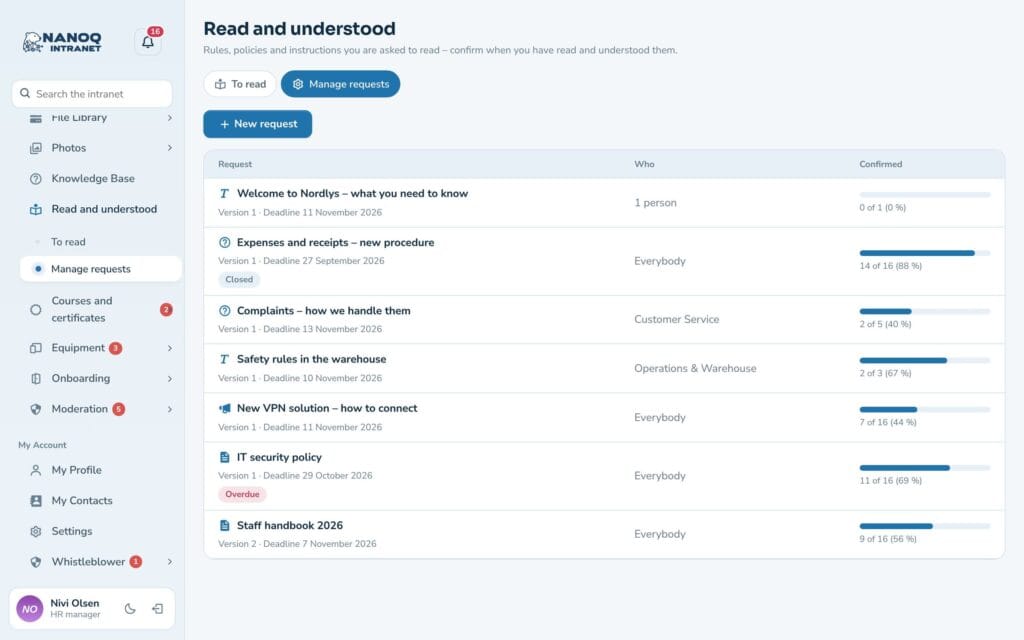
See confirmed and missing as a percentage and per person, with department and date. Download the list as CSV for Excel or the auditors.
Managers see their team
Department managers get the "My team" tab and can see and remind their own employees – not anyone else's.
One list of what's waiting
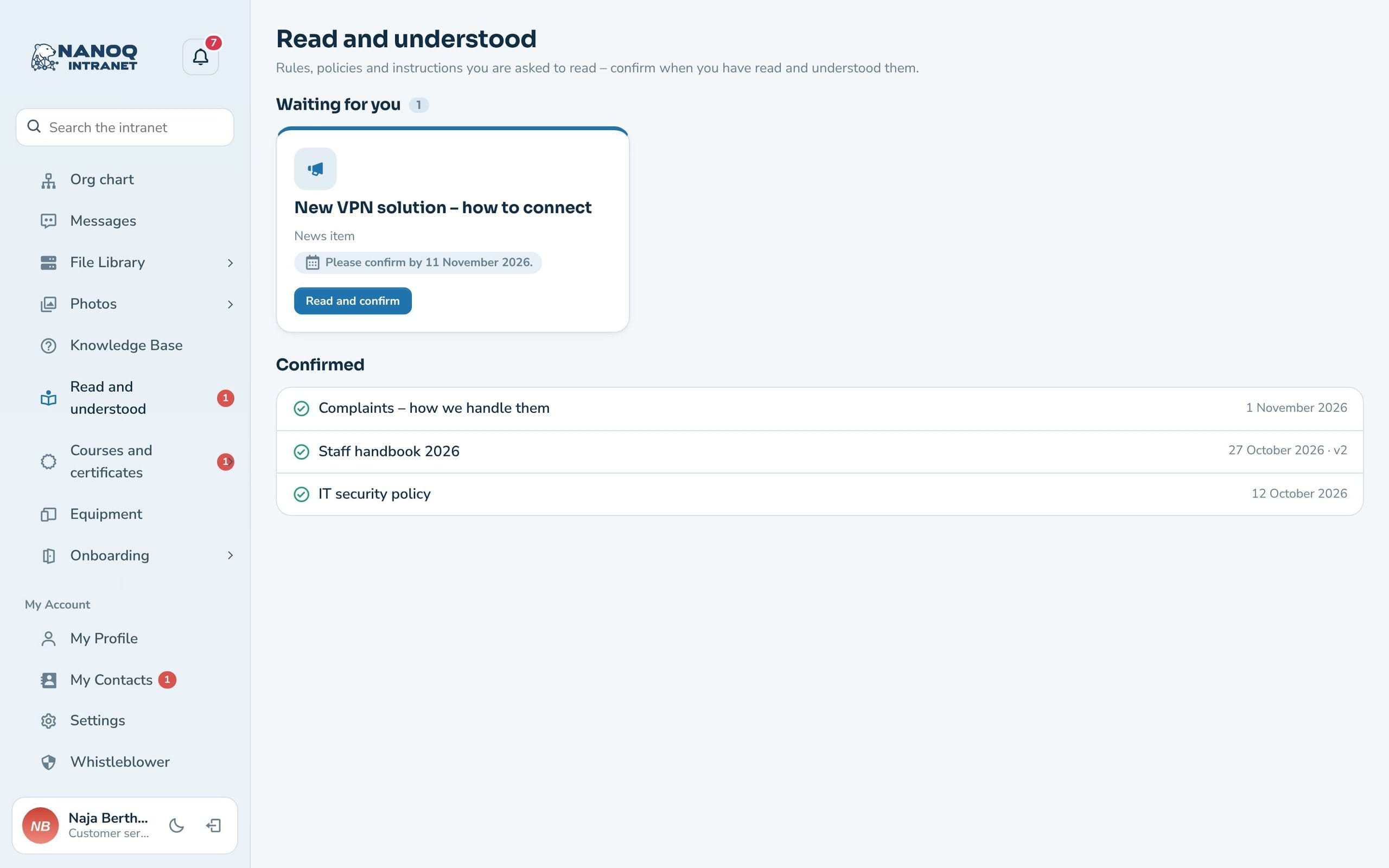
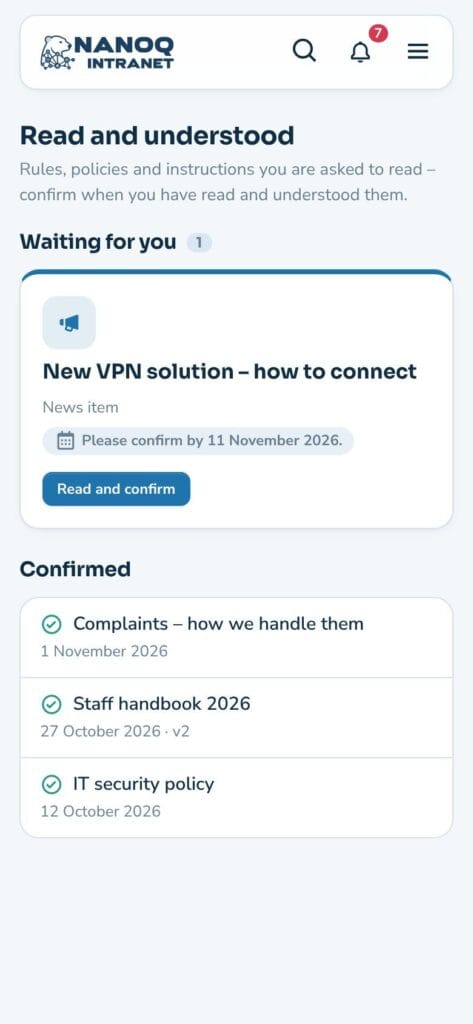
Under “To read” employees see what is waiting, with deadline and “Overdue” – and a list of what has already been confirmed. The text, news item or article is shown directly on the page, and files open with one click. The box “I have read and understood the content.” must be ticked before the button works, and the confirmation is stored with name, date and version.
Documentation that holds up
The status page shows who has confirmed which version and when, and who doesn’t have access to the content. If a news item or file has changed since the request was sent, you are notified so you can publish a new version. That is what auditors, ISO 27001 and health and safety require. With a quiz, employees must answer questions about the content correctly before the confirmation is saved – and the status page shows score and attempts. With a limit on attempts, the quiz locks when they are used up, and the manager can grant more.
Good to know: Access to the content is respected: if an employee can’t open the file or article, they can’t confirm either, and the status page explains why. No IP addresses are stored. The module is off until you switch it on under Nanoq → Read and understood.
See also
File library
The staff handbook and policies live in the file library.
Onboarding and offboarding
New employees get the most important documents as part of onboarding.
Ready to try Nanoq?
Log in to the demo as a managing director, manager or employee and see how it all fits together.
Demo login: username malu, ane, naja, hans, nivi or kunuk (Greenlandic) – password Nordlys2026