Foundation
An intranet in three languages
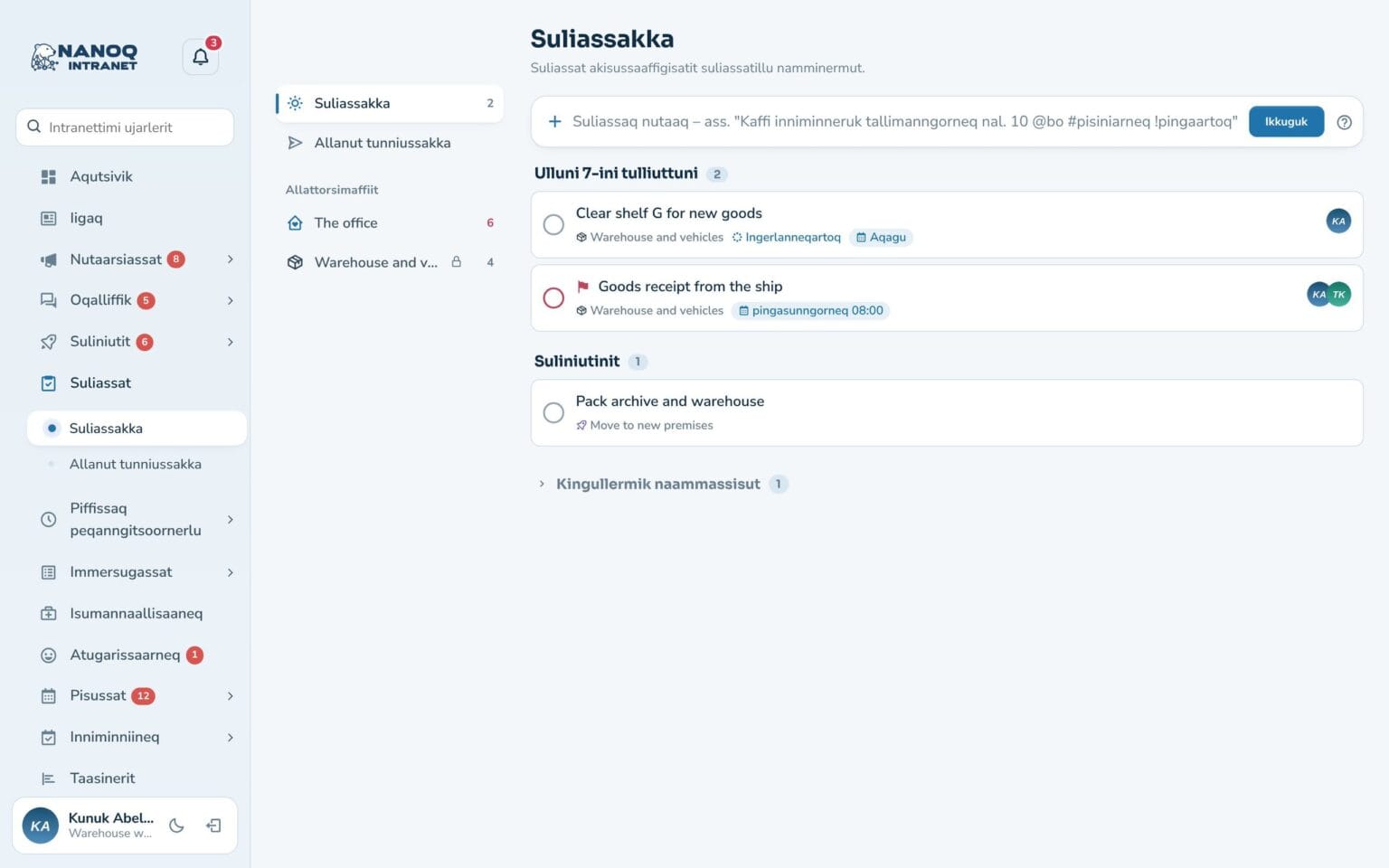
Nanoq is available in English, Danish and Greenlandic. Choose the intranet’s language – and let each employee choose their own.
What the module does
One intranet for the whole workplace – in the language your employees prefer.
Kalaallisut
Menus, buttons and texts throughout the intranet in Greenlandic – the login page too.
Everyone their own language
Employees choose English, Danish or Greenlandic themselves under Settings.
Notifications in your own language
Bell, pop-ups and push notifications arrive in the recipient's language.
Quick add in Danish and Greenlandic
Write “ullumi” or “i dag” (today) – the task module understands both.
The administrator decides
Choose the intranet's language and which languages employees may choose between.
More languages
New languages appear automatically when a language file is added for them.
Choose under Settings
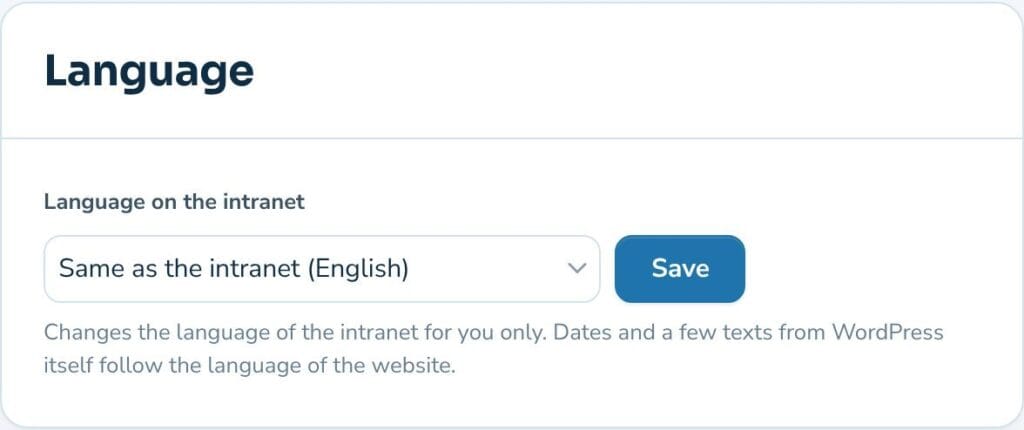
Each employee has a “Language” card under Settings. One choice, and the whole intranet switches language for them – while colleagues keep theirs.
One choice for the whole intranet
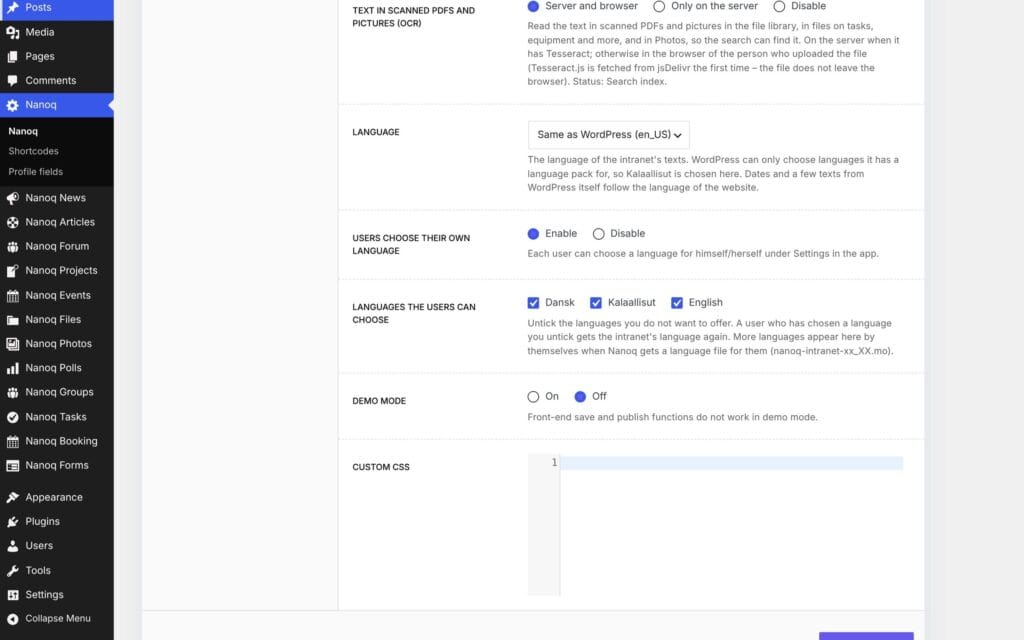
The administrator chooses the intranet’s language under Nanoq → General. WordPress has no Greenlandic language pack, so Nanoq has its own language selection – and decides which languages employees can choose between.
Good to know: Dates, month names and numbers are shown in each employee’s own language, and the calendar’s language is chosen in the settings. The Greenlandic translation is new – we are happy to improve words that could be put better.
See also
Notifications and app
Bell, pop-up and push notifications on the phone – and the intranet as an app on the home screen.
Administration and design
Modules, roles, profile fields and the Arctic design – managed from WordPress.
Ready to try Nanoq?
Log in to the demo as a managing director, manager or employee and see how it all fits together.
Demo login: username malu, ane, naja, hans, nivi or kunuk (Greenlandic) – password Nordlys2026