Time and HR
A good start – and a proper goodbye
When a new employee starts or a colleague leaves, there are many tasks for HR, IT, the manager, the mentor and the person themselves. Nanoq gathers them in one process with deadlines, reminders and a welcome page for the new starter.
What the module does
Ready-made templates, tasks for the right people and links to equipment, documents, certificates and GDPR.
Ready-made templates
"New employee" with 10 tasks and "Leaver" with 8 – adjust them, or create your own.
Tasks for the right people
HR, IT, the manager, the mentor and the person themselves each get their tasks with a deadline before, on or after the first or last day. Tasks can be written in several languages, so the newcomer sees them in their own.
Welcome page
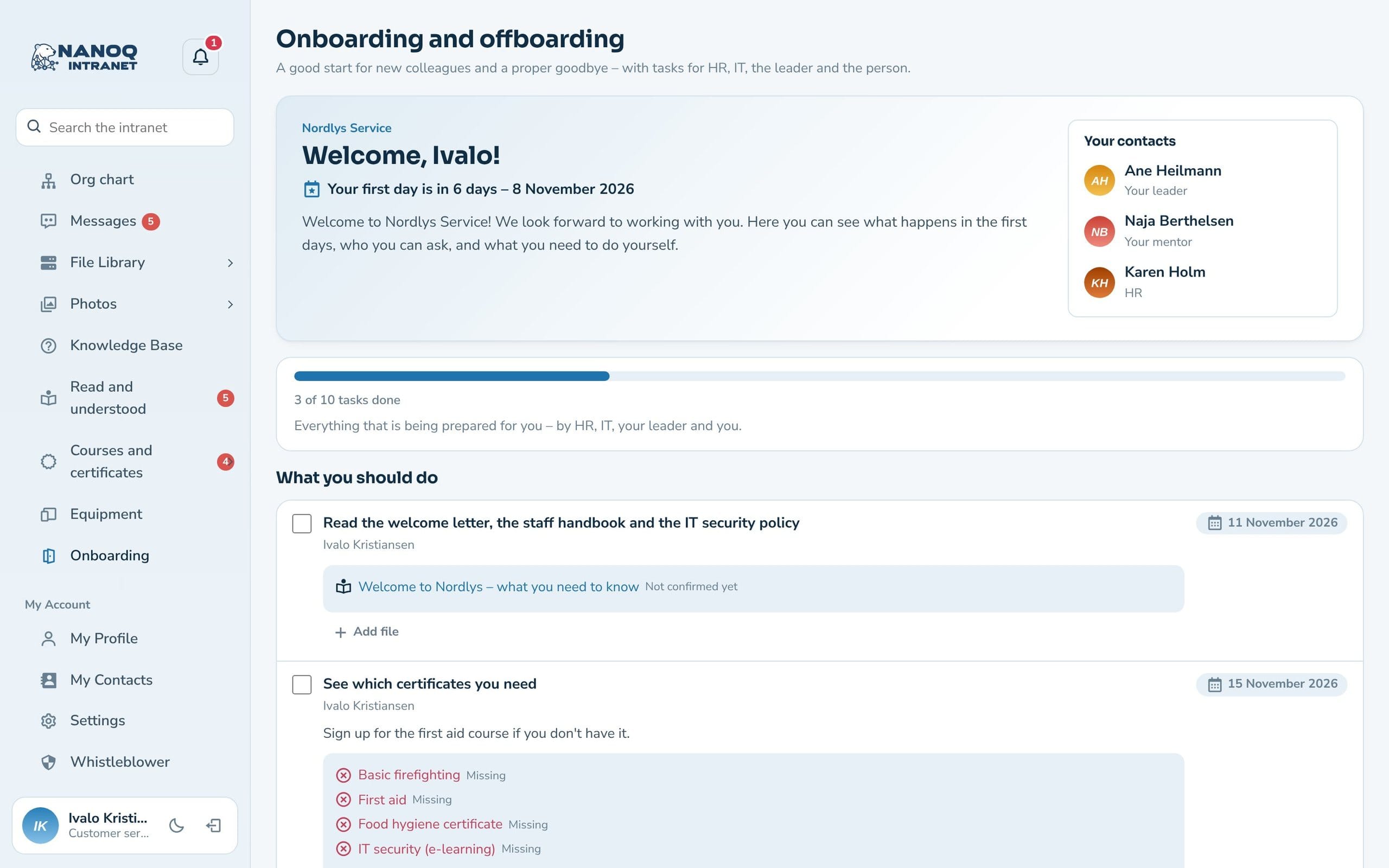
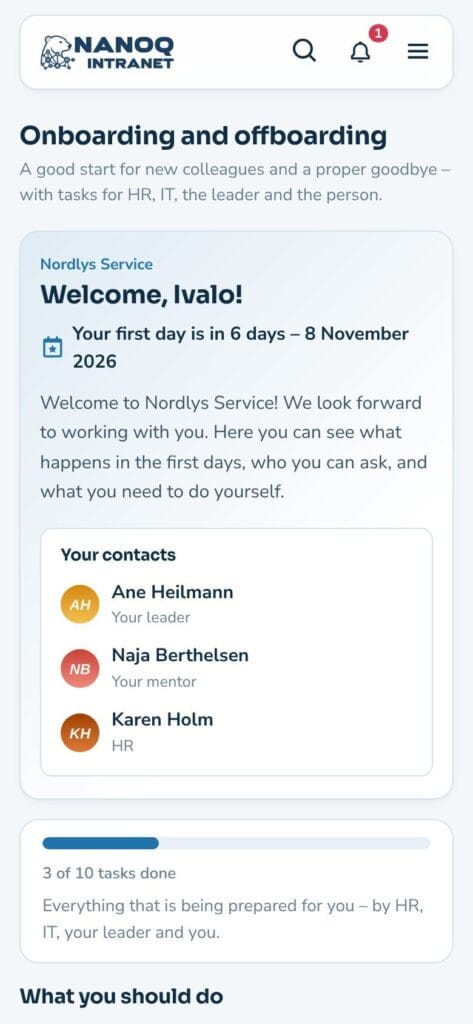
The new employee gets "Welcome, Maliina!" with a countdown, welcome text, contact people and their own tasks.
Connected to everything else
Hand out equipment, read the staff handbook, see the required certificates – and finally anonymise with the GDPR module.
Reminders
The day before the deadline and when it has passed. On Mondays HR gets the number of overdue tasks.
Progress
See how far each process has come, and download it as CSV. Move the date, and the open tasks move with it.
Welcome from day one
Before the first day, the new employee sees a welcome page with countdown, welcome text, the manager, the mentor and HR – and what they need to do themselves, e.g. read the staff handbook or see which certificates are required. The person leaving sees “Your last days” and the equipment to be returned.
The whole process on one page
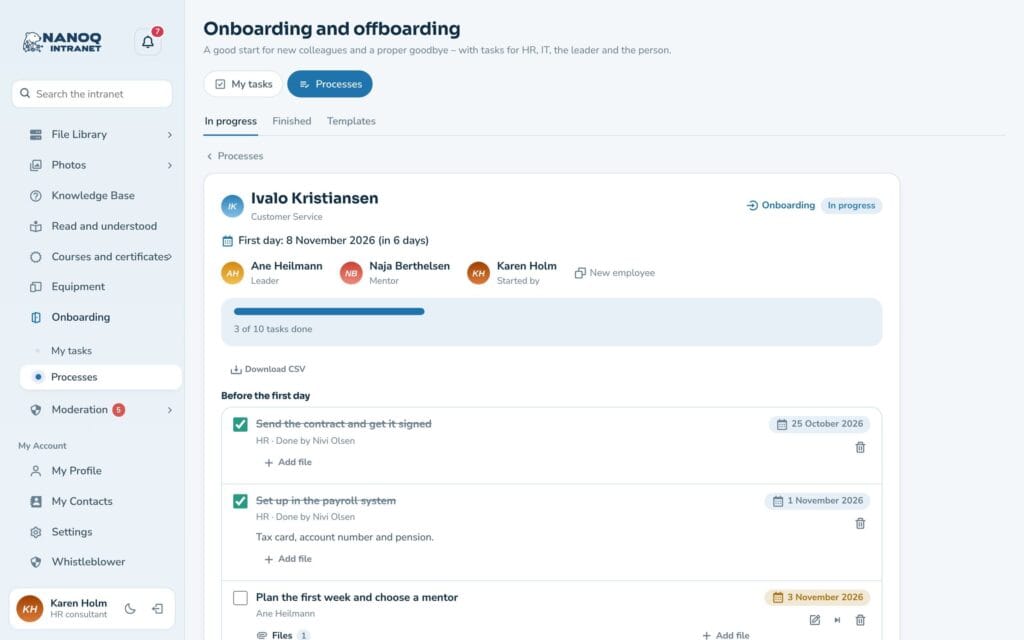
HR starts the process with person, date, template, manager and mentor – and can invite the new employee directly, now or on a set day, so the account and welcome email are ready. Tasks are grouped before, on and after the day, and each can be ticked off by the person responsible. Handed-out equipment, confirmed documents and certificates are shown directly with the task, and the process is completed when the last task is done. Tasks can be edited in the individual process, and files such as the contract can be attached.
Good to know: The manager is picked up automatically from the org chart or the groups. IT tasks go to the chosen IT people, and tasks without an owner go to HR. The person themselves only sees their welcome page – not HR’s notes. The module is off until you switch it on under Nanoq → Onboarding and offboarding.
See also
Equipment and inventory
Hand out a computer and phone – and get them back when someone leaves.
GDPR and former employees
The last task when someone leaves: anonymisation.
Ready to try Nanoq?
Log in to the demo as a managing director, manager or employee and see how it all fits together.
Demo login: username malu, ane, naja, hans, nivi or kunuk (Greenlandic) – password Nordlys2026