Time and HR
Measure wellbeing – and follow the trend
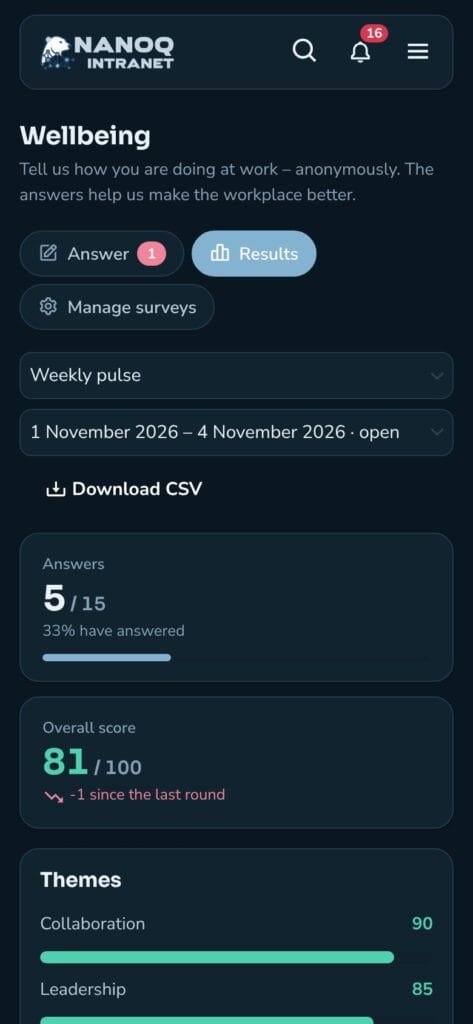
Short, anonymous surveys of wellbeing, workload, leadership and collaboration. Employees answer in a minute on the computer or the phone, and you follow the trend round by round – for the whole workplace and by department.
What the module does
From a weekly five-question pulse to the big annual staff survey – with anonymity built in from the start.
Fully anonymous
Answers are stored without name and without time. Results are only shown when enough people have answered – also for departments.
Repeats by itself
Weekly, monthly or yearly: rounds open and close by themselves, and those who haven't answered get one reminder.
Answer in a minute
Agree–disagree, mood with five faces, eNPS from 0 to 10, yes/no and comments – with big buttons that work on the phone too. Questions can have "Don't know".
Trends over time
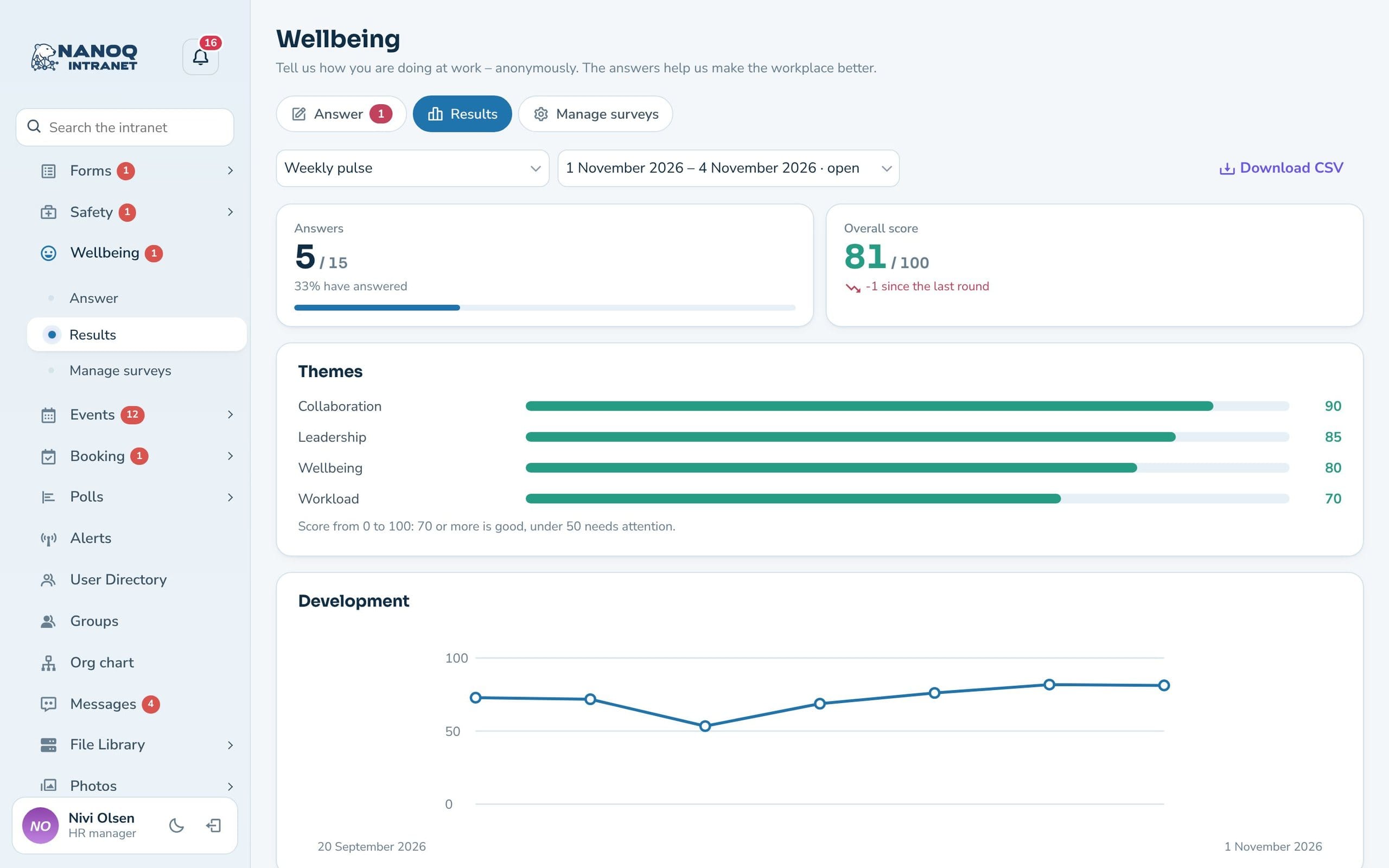
An overall score from 0 to 100, the change since the last round, the themes and a chart of all rounds.
By department
Departments come from the org chart. Managers see the whole workplace and their own department – not the others'. Compare departments over time in one chart.
Three templates
Start with a weekly pulse, a staff survey with 13 questions or eNPS – and adjust the questions as you like. Save your own questions in the question bank.
Results you can act on
See the response rate, the overall score and eNPS, the themes from collaboration to workload and the distribution on each question. Negative statements such as “I often feel stressed” are reversed automatically, so a high score is always good. Comments are shown in random order, and only HR and administrators see them. The figures can be downloaded as CSV for Excel – never the individual answers.
Ask briefly and often
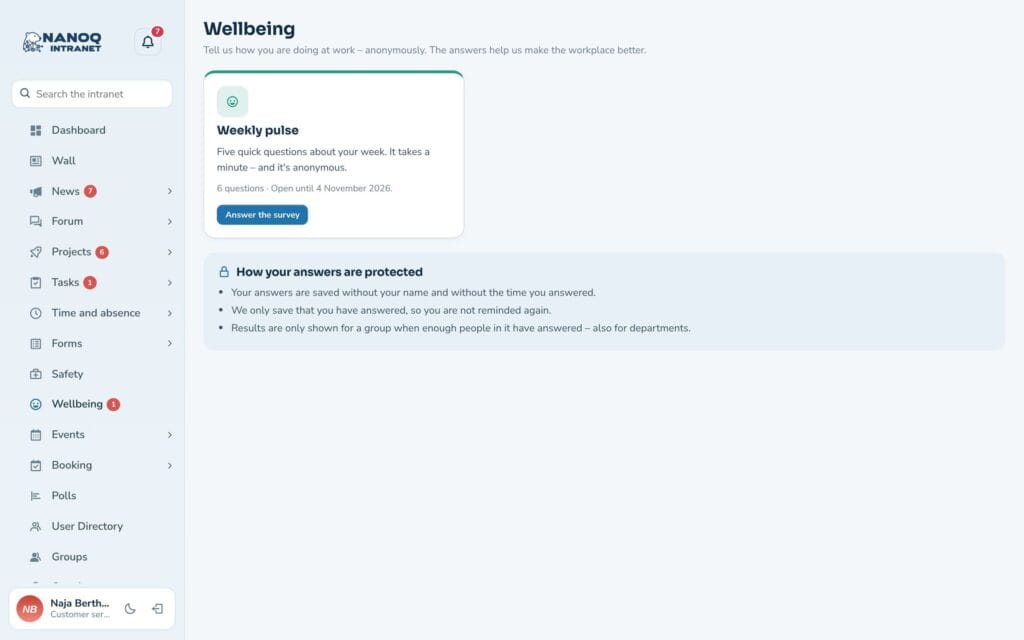
A weekly pulse with five questions takes a minute. Employees get a notification when a round opens, and the counter in the menu shows that a survey is waiting. Once you have answered, you can’t answer again – and you won’t be reminded. A follow-up question can be shown to those who answer in a particular way.
Good to know: Answers cannot be traced back to a person – not even by administrators. The threshold for when results are shown is set per survey (default 5 answers, at least 3). Free text can reveal the sender, so the form warns about it. The module is off until you switch it on under Nanoq → Wellbeing.
See also
Org chart
The departments in the results come from the org chart.
Incident reporting
The physical working environment: accidents, near misses and actions.
Ready to try Nanoq?
Log in to the demo as a managing director, manager or employee and see how it all fits together.
Demo login: username malu, ane, naja, hans, nivi or kunuk (Greenlandic) – password Nordlys2026