Time and HR
Leave and absence in one click
The employee requests leave, the manager approves, and everyone can see in the absence calendar who is away. The leave balance keeps itself up to date.
What the module does
Holidays, sick leave and courses with approval, leave balance and absence calendar.
Request absence
Holiday, time off in lieu, course, leave of absence and more – half days too.
Report sick
Sickness and a child's first sick day are registered immediately.
Leave balance
Granted, taken, planned and remaining – for each holiday year. Leave can be earned month by month and converted for part-time.
Approval
The department's manager is notified and replies with one click.
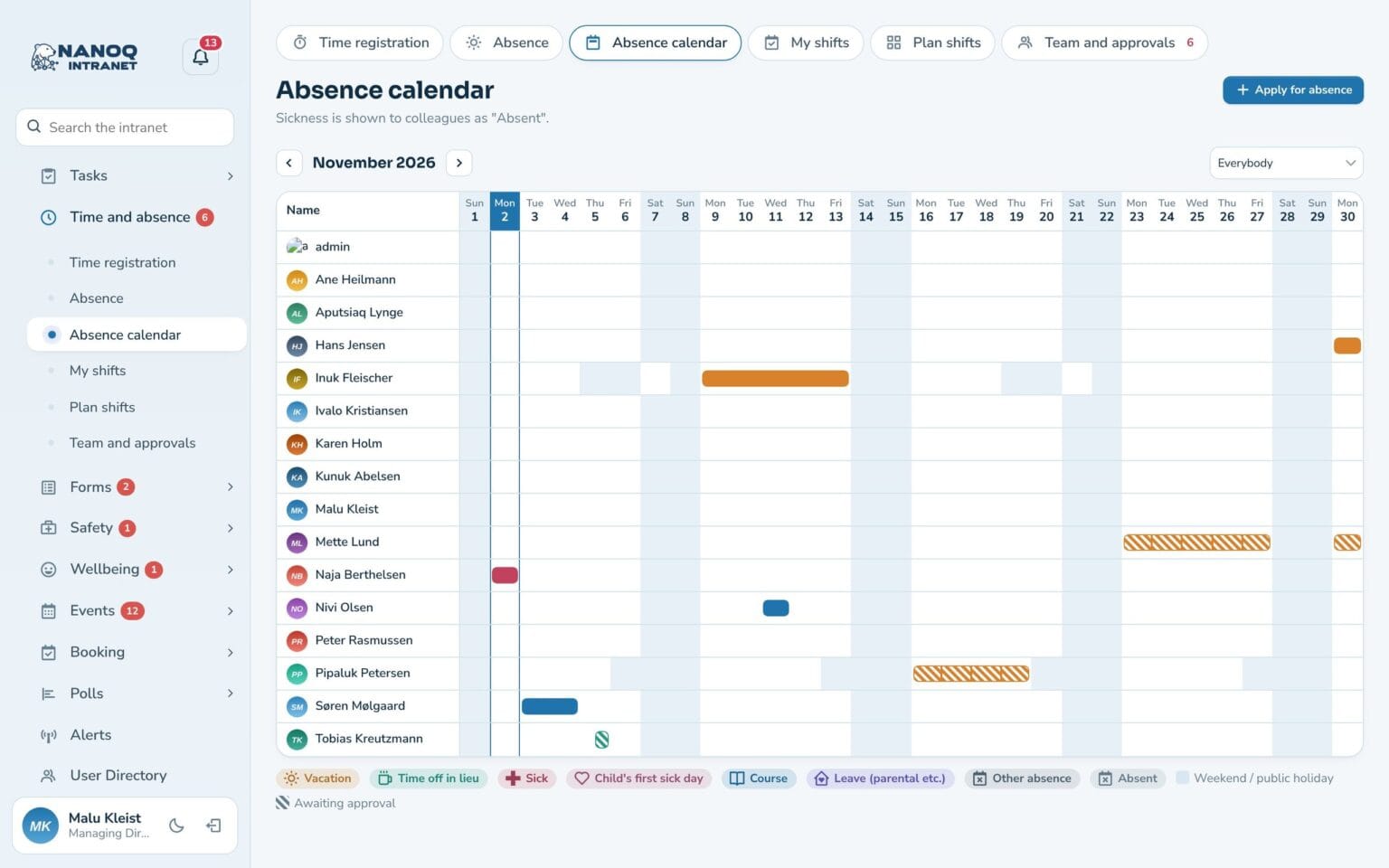
Absence calendar
The whole month for all colleagues, with a colour for each type.
Privacy
Colleagues only see “Away” – never that someone is sick.
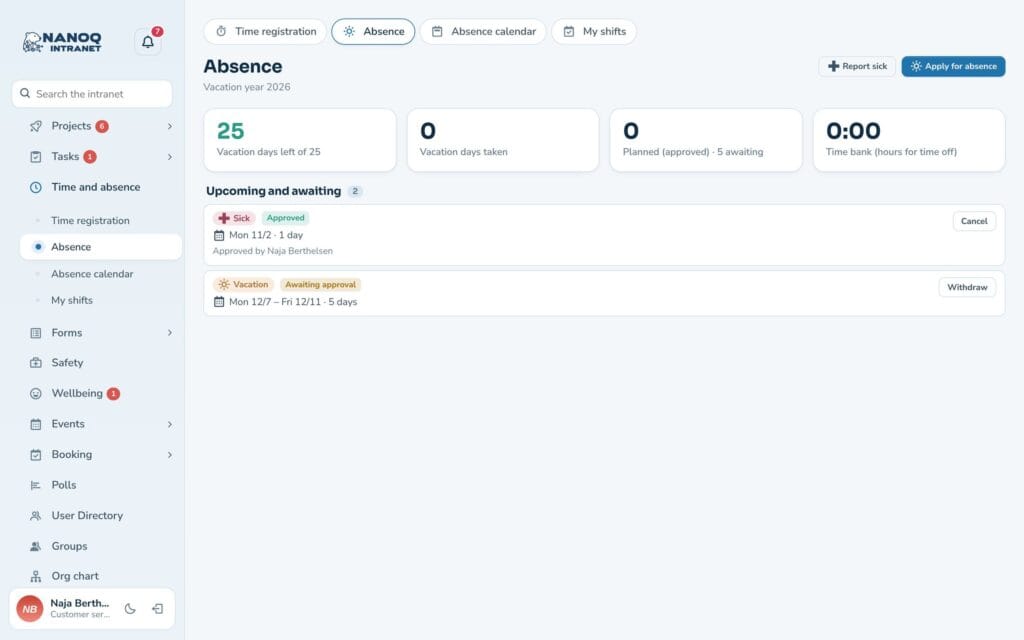
An overview for the employee
See remaining days of leave, planned leave and time bank at the top. Nanoq only counts working days, so weekends and public holidays don’t cost leave days. If the employee works part-time or a four-day week, Nanoq counts according to their own work schedule.
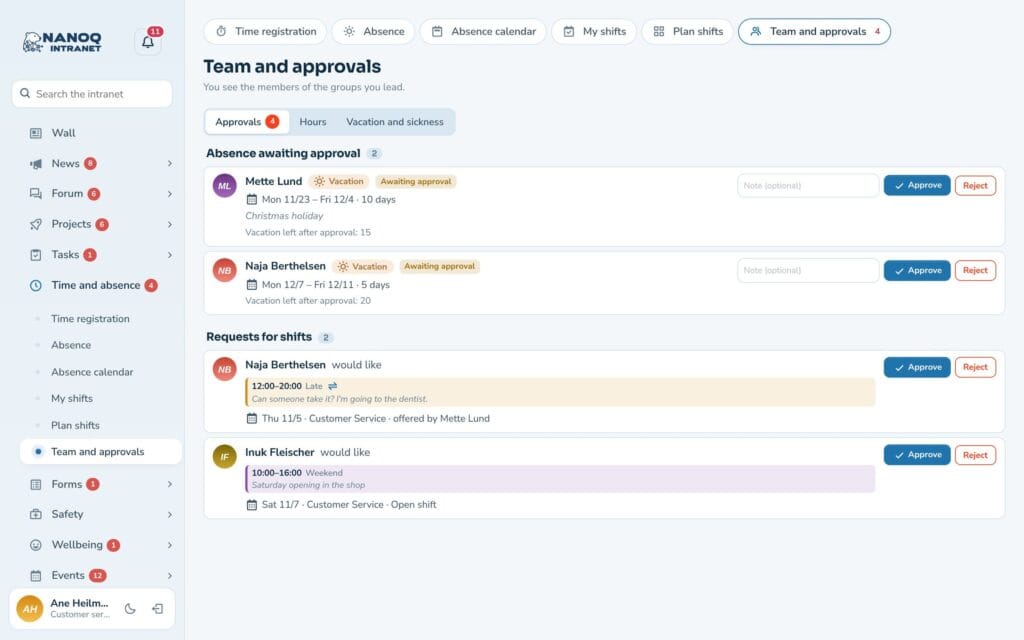
Approve in seconds
The manager sees the request, the leave balance after approval and whether others in the department are away at the same time. The employee gets the answer by email.
Good to know: Greenlandic or Danish public holidays and holiday years starting on 1 January or 1 September are chosen in the settings – as are monthly accrual and converting leave days for part-time.
See also
Time tracking
Time clock, hours, overtime and time bank – on the computer and the phone.
Shift planning
Plan the week's shifts, share open shifts and send shifts to the phone's calendar.
Ready to try Nanoq?
Log in to the demo as a managing director, manager or employee and see how it all fits together.
Demo login: username malu, ane, naja, hans, nivi or kunuk (Greenlandic) – password Nordlys2026