Collaboration
Tasks that get done
Personal to-dos and shared lists for every department – with deadlines, recurrence, subtasks and comments. The manager gets the overview, the employee gets peace of mind.
What the module does
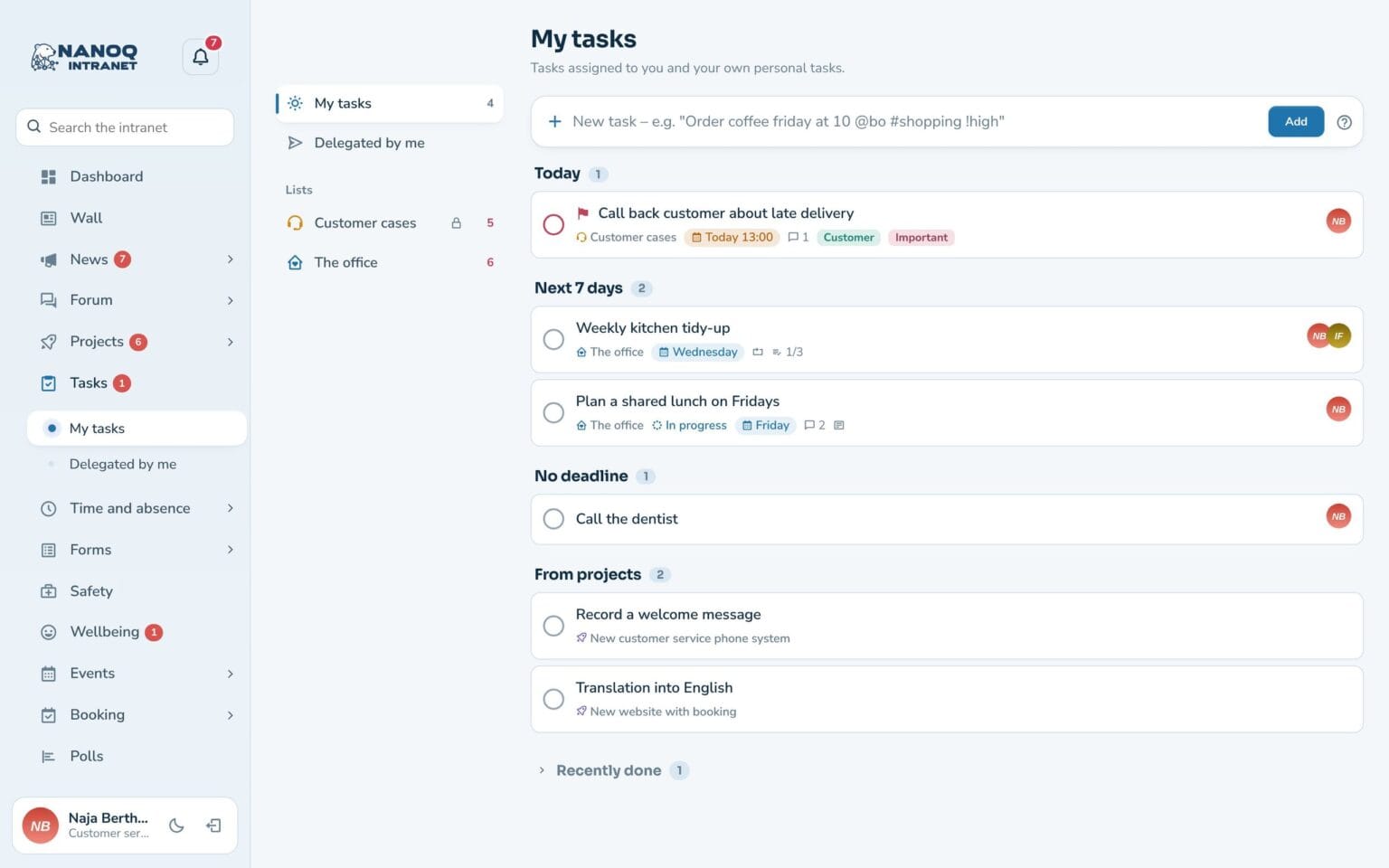
Personal and shared task lists with quick add, a board and an overview for the manager.
Quick add
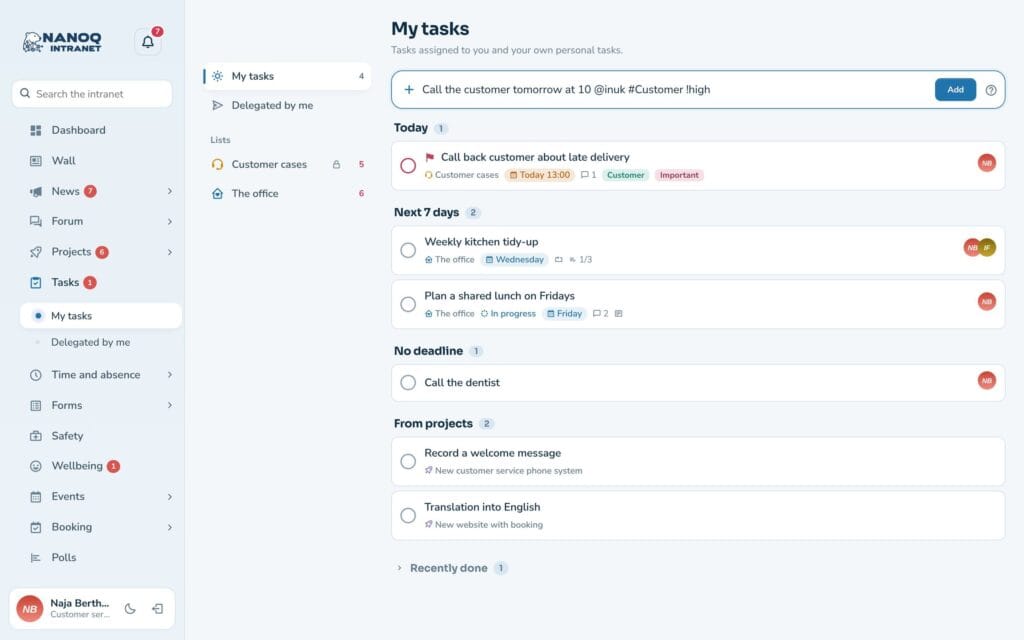
Write “Ring til kunden i morgen kl. 10 #Kunde @inuk” – Nanoq understands the rest.
Lists and board
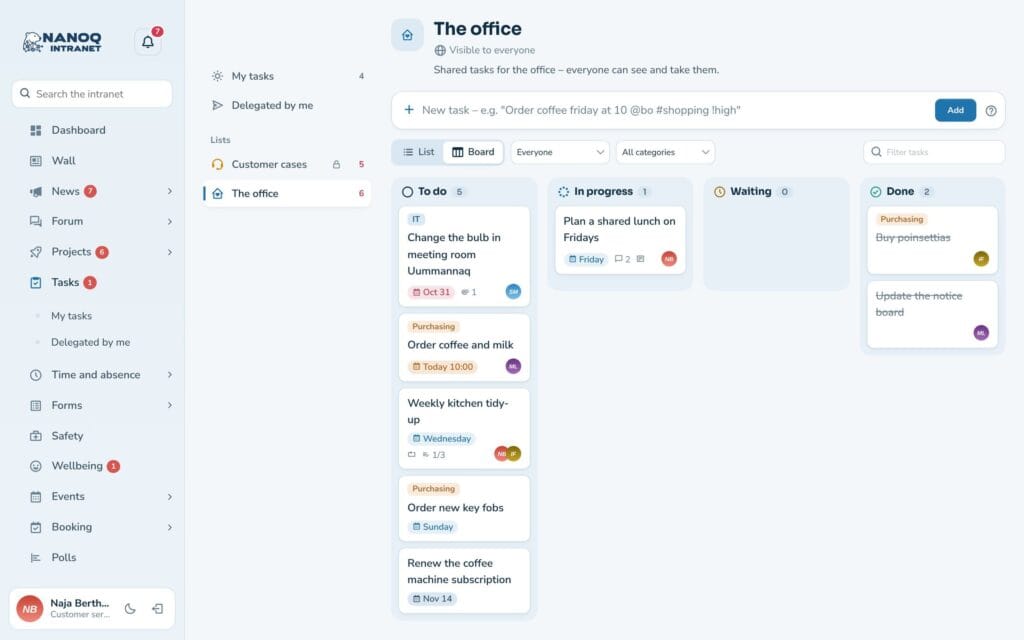
Shared lists per department, as a list or a drag-and-drop board – or in your own order.
Recurrence
Every day, every Monday, the last Friday of the month and much more.
Task panel
Status, owners, followers, deadline, subtasks, comments and attached files.
Delegated by me
Follow the tasks you have handed over to others.
Overview
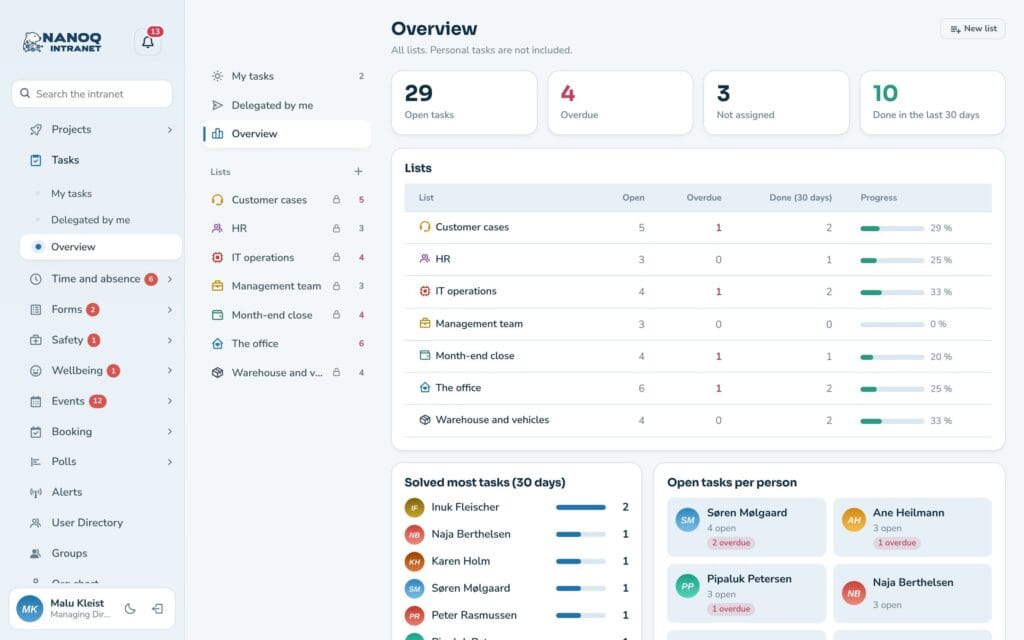
Overdue, unassigned and completed tasks per list and per person.
Write the task the way you would say it
Quick add understands Danish phrases: “i morgen” (tomorrow), “fredag kl. 14” (Friday at 2 pm), “hver anden uge” (every other week), @name for the owner, #category and !høj for high priority.
A drag-and-drop board
Show a shared list as a board, and drag tasks from Not started to Done. Filter by person, category or text. A list can also be sorted manually, so the tasks are in the order you work in.
Overview for the manager
The overview shows open and overdue tasks per list, who has completed the most tasks in the last 30 days, and who has the most on their list.
Good to know: Every morning employees can get an email with today’s and overdue tasks.
Ready to try Nanoq?
Log in to the demo as a managing director, manager or employee and see how it all fits together.
Demo login: username malu, ane, naja, hans, nivi or kunuk (Greenlandic) – password Nordlys2026