Collaboration
Projects with an overview from idea to done
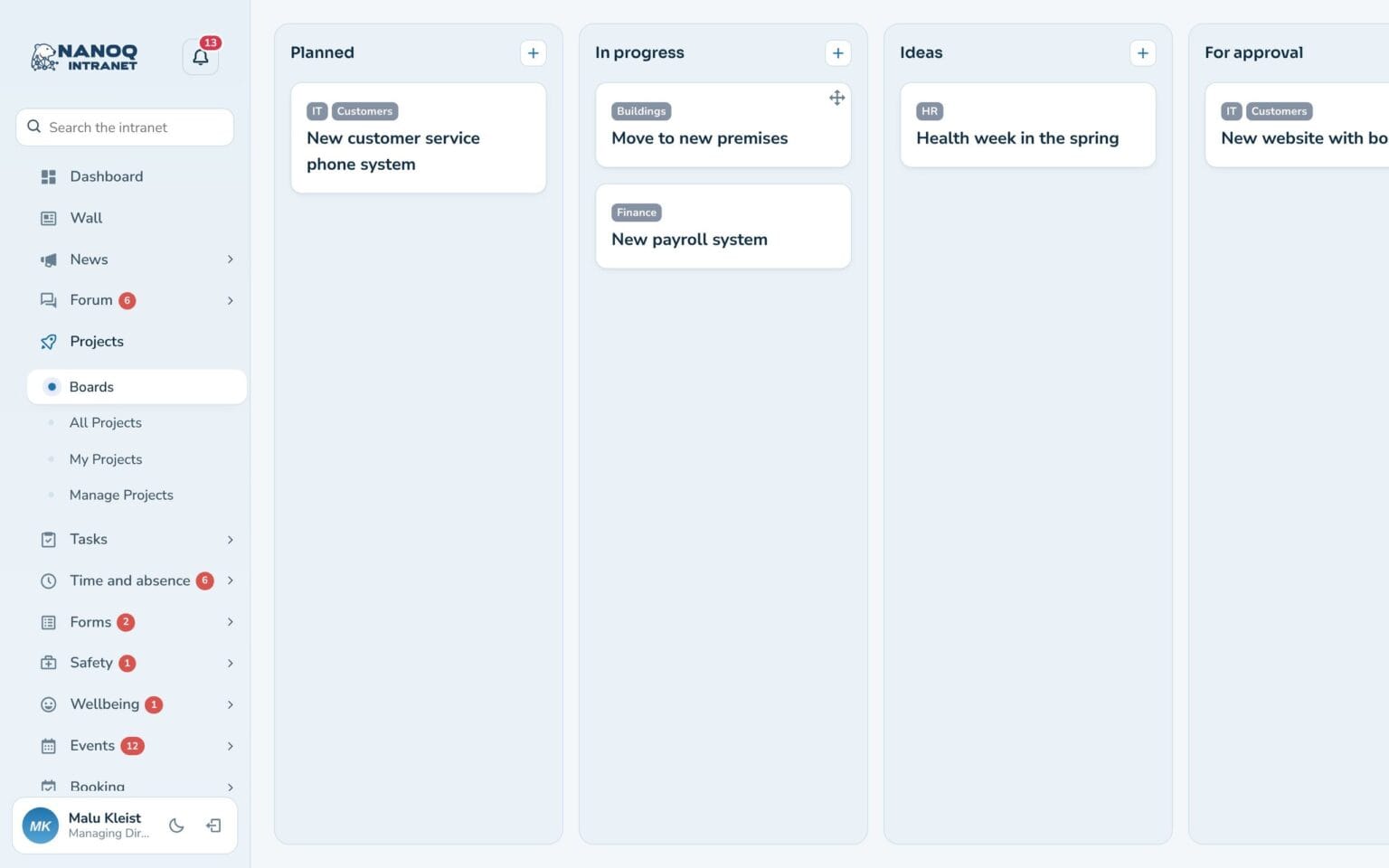
Keep every project together with description, deadline, members, checklist and activity. On the boards everyone can see at a glance where the projects stand.
What the module does
Projects on boards with members, checklist, deadline and activity.
Boards
Drag projects between Ideas, In progress, For approval and Done.
Checklist
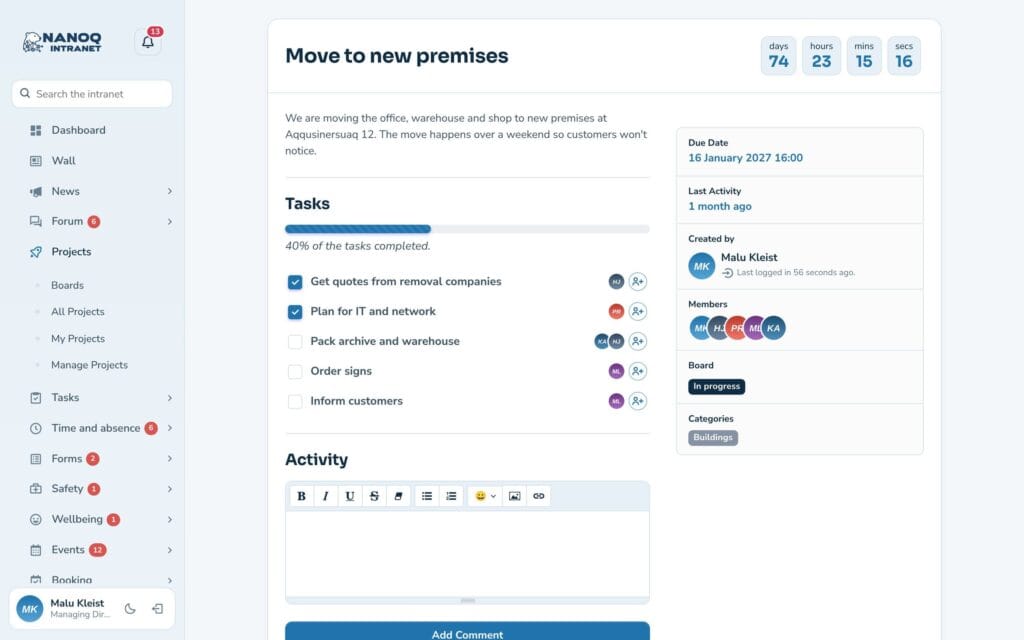
Items with an owner and a progress bar.
Countdown
Days, hours and minutes to the deadline.
Members and groups
Add people or whole departments.
Activity
Comments and status updates gathered on the project.
Who can join
Open to everyone or only to those invited.
Everything about the project on one page
Every checklist item can get an owner, and the item then appears under From projects in that person’s own tasks. When a project is moved on the board, it is automatically written in the activity.
Good to know: Only project members can comment, but everyone with access can follow along.
See also
Tasks
Personal and shared task lists with quick add, a board and an overview for the manager.
Groups and access
Departments with managers and members that control who sees what.
Ready to try Nanoq?
Log in to the demo as a managing director, manager or employee and see how it all fits together.
Demo login: username malu, ane, naja, hans, nivi or kunuk (Greenlandic) – password Nordlys2026