Communication
When everyone needs to know – right now
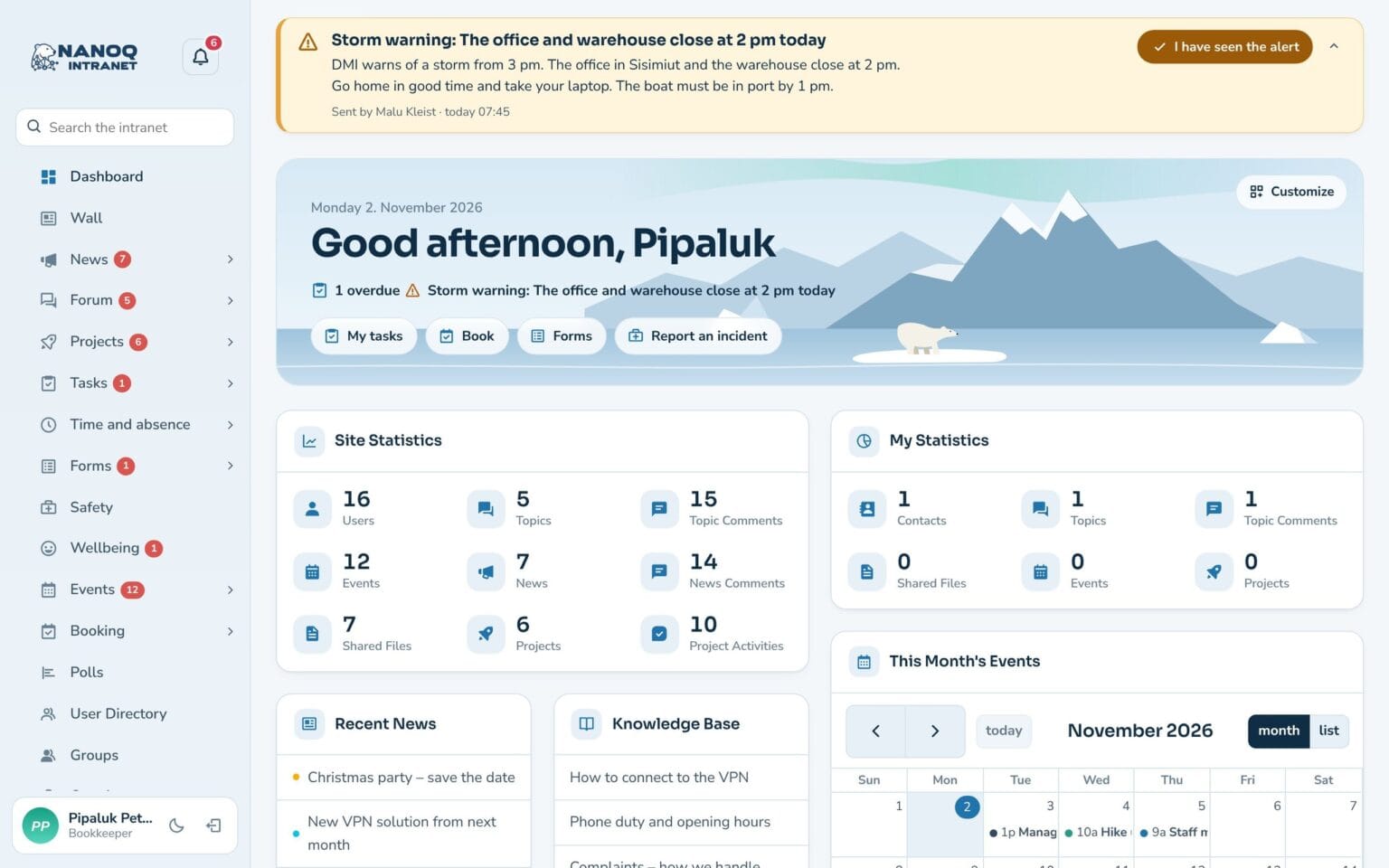
Power cut, storm, closed harbour or IT outage: send an emergency alert that appears at the top of everyone’s screen and arrives as push on the phone. Afterwards you can see who has seen it – and who has acknowledged it.
What the module does
The important message gets through – and you know who has received it.
Banner at the top of the screen
The message appears at the top of every page on the intranet and shows up without anyone having to reload the page.
Push that always gets through
Emergency alerts are sent as push to phone and computer and cannot be switched off. Critical alerts stay on the screen.
Three levels
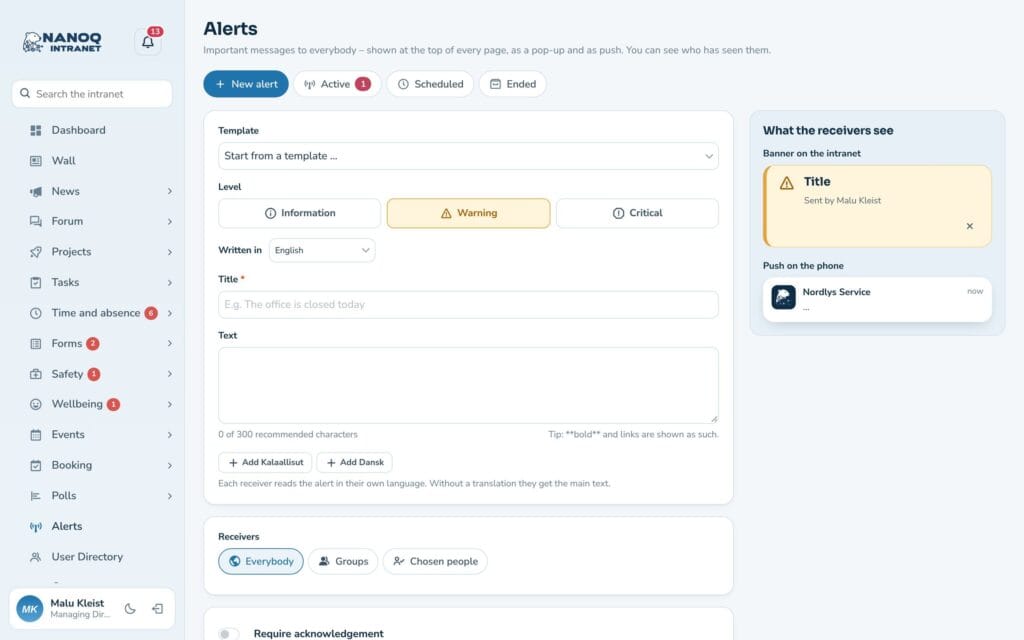
Info, warning or critical – each with its own colour, so the severity is clear straight away.
Seen and acknowledged
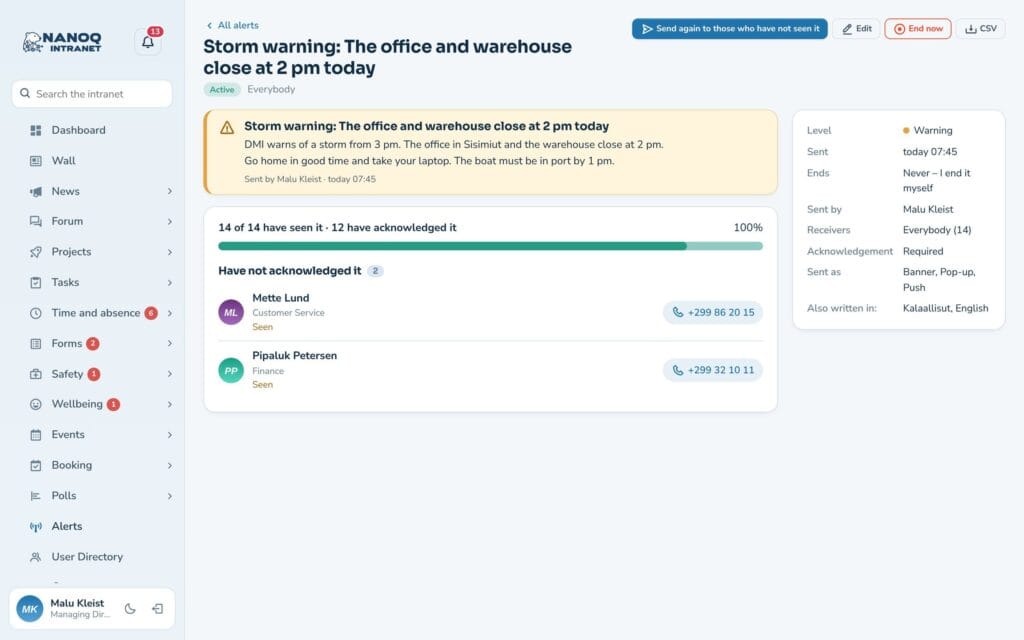
Follow who has seen the message and who has acknowledged it – and download the list as CSV.
In the recipient's language
Write in Danish, Greenlandic and English. Each employee sees the message in their own language.
To everyone or to one department
Send to the whole workplace or only to selected groups. Group managers can send to their own groups.
Sent in a minute
Choose a template, edit the text and check what the banner and the push notification will look like before you send. The alert can also be scheduled for a specific time and end itself when the situation is over. If someone still hasn’t seen it, it is sent again with one click.
Acknowledgement when it matters
If the alert requires acknowledgement, the banner stays until the employee has pressed I have seen the message. The status list shows who is missing – and administrators and HR can see the phone number so they can call.
Good to know: The module is off until you switch it on. You decide who may send: administrators, selected people, specific roles or group managers. The alert can also be shown above the login box, so it is seen before logging in. Push requires the intranet to run on https. Earlier alerts can be found in search, and under My alerts each employee sees the alerts they have received.
See also
Notifications and app
Bell, pop-up and push notifications on the phone – and the intranet as an app on the home screen.
Messages
Private and group conversations with attached files and pictures.
Ready to try Nanoq?
Log in to the demo as a managing director, manager or employee and see how it all fits together.
Demo login: username malu, ane, naja, hans, nivi or kunuk (Greenlandic) – password Nordlys2026